Keep notes on people and follow up
People is a light contact book for the details you’d otherwise forget: “Notes, history and gentle nudges to stay in touch.” It isn’t a CRM and it doesn’t sync. You add the people who matter, and Thendoo helps you remember them.
Add someone
Section titled “Add someone”Choose Add person. Fill in what you know:
- Name and Company or role.
- Email and phone: up to 20 in total, via Add email or phone.
- Birthday. “Any year works if you don’t know it.” You get a reminder 7 days before.
- Notes and Tags, such as “client” or “school parents”.
- Password manager link for a shared entry in Bitwarden or Vaultwarden.
History
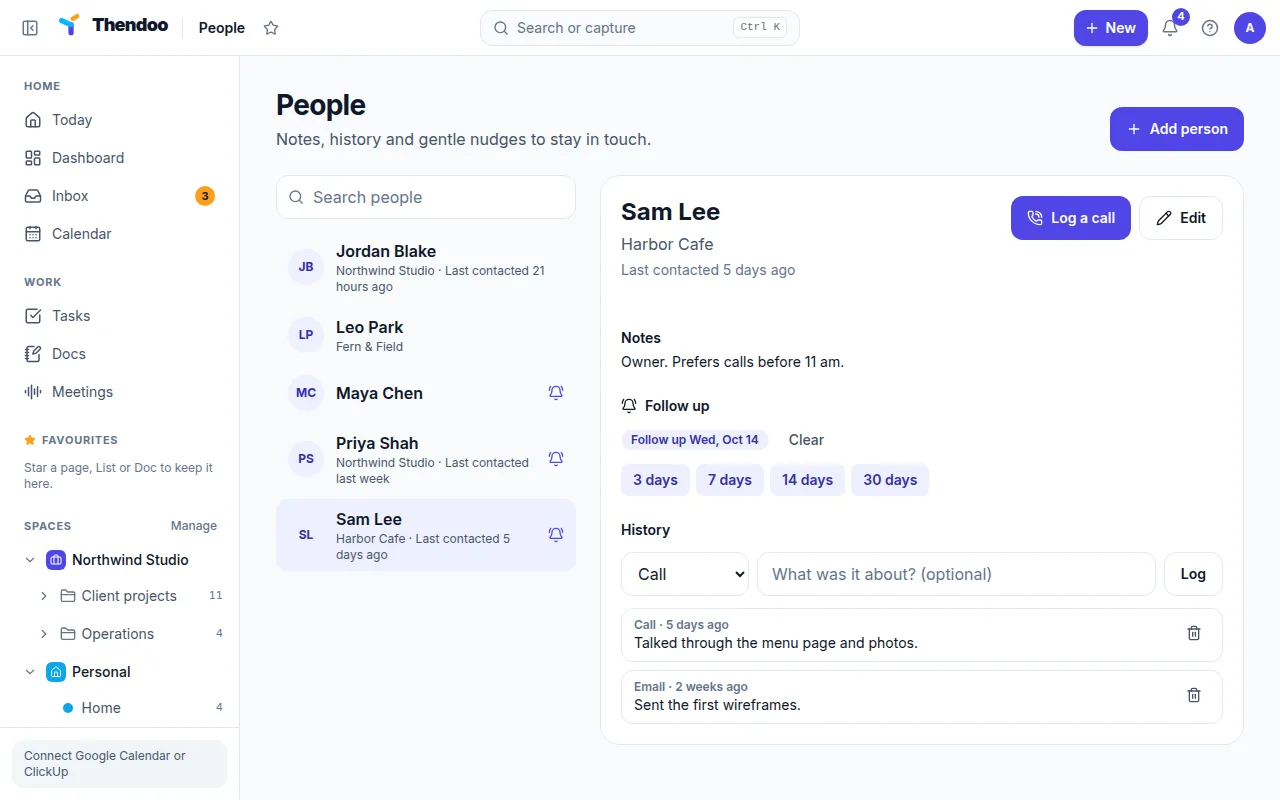
Section titled “History”Each person has a History of what happened, as a Call, Meeting, Email or Note, with an optional line under “What was it about?”. Log a call is a one-tap shortcut. Logging anything updates Last contacted, so you can see at a glance that it’s been a while, without anything turning red.
Follow-ups
Section titled “Follow-ups”A follow-up is a single nudge, not a schedule. Under Follow up, choose Follow up in 3, 7, 14 or 30 days. When the day comes, a reminder appears in the bell (and as a browser pop-up if a Thendoo tab is open). Choose Clear when you’re done, or set the next one.
There’s no repeating “every few weeks” option yet. For someone you want to check on regularly, set a new follow-up each time you log contact; it takes two clicks.
People from your booking page
Section titled “People from your booking page”If a meeting type has Save to People on (the default), each guest who books is added to People, matched by email so the same person isn’t added twice, and a Meeting entry lands in their history.
Meeting notes Docs also @mention people they recognize. Naming a speaker on the Meetings page, though, only labels the transcript; it doesn’t add to anyone’s history yet.