What guests see and which emails go out
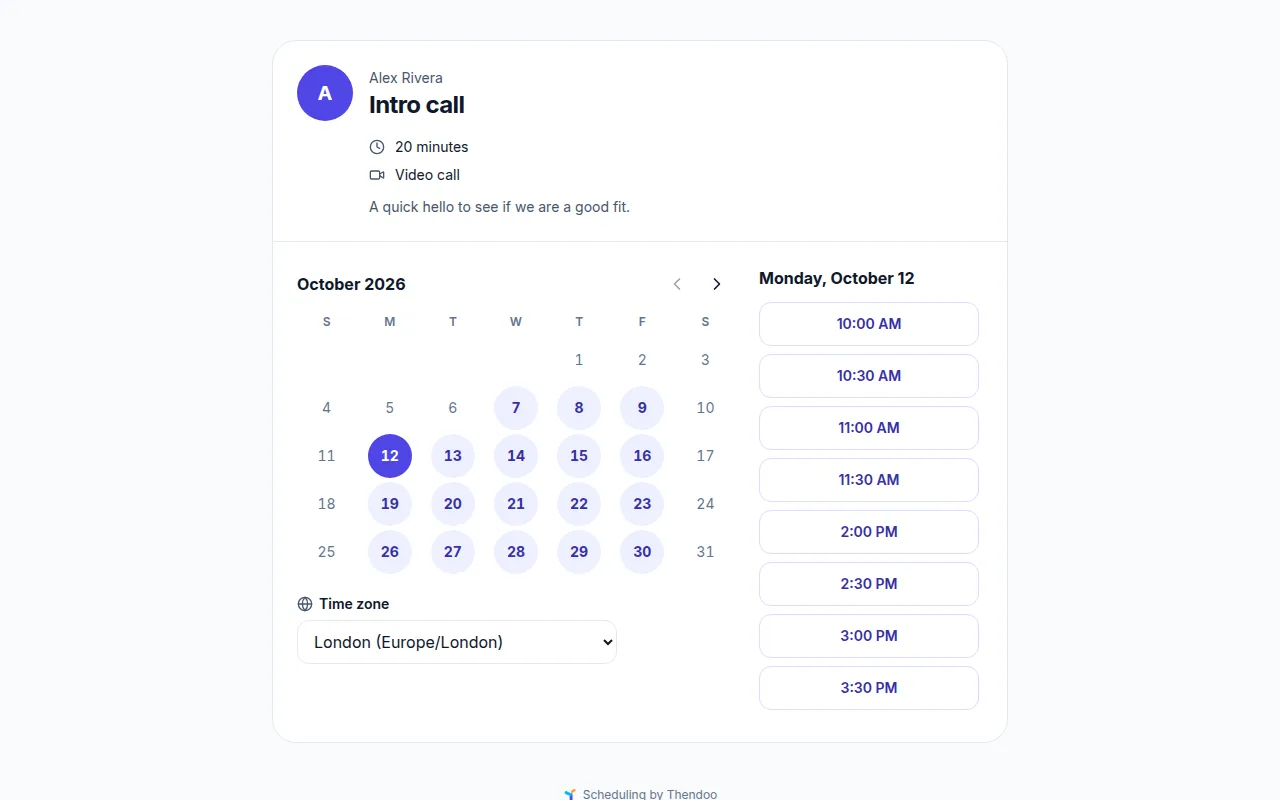
Your guests never need a Thendoo account. They get a simple page in your color, marked “Scheduling by Thendoo”, that works on a phone.
The guest’s side
Section titled “The guest’s side”- Pick a meeting type (skipped if you shared a link to one type).
- Pick a day, then Pick a time. Times show in the guest’s own Time zone, which they can change.
- Your details: Your name, Email and any questions you added. The page tells them their answers go to you only, to arrange this meeting.
- Confirm booking, or Send request if the type uses Ask me first.
- You’re booked (or Request sent), with Add to calendar for an .ics file and Reschedule or cancel.
Guests only ever see free start times. Your event titles never leave the server.
What lands on your side
Section titled “What lands on your side”A booking adds an event named after the guest and the meeting type to the calendar you chose, with the pill Booked via your link. Requests appear as tentative events and wait under Requests in Settings → Booking, where you choose Approve or Decline. Your bookings list also has Upcoming, Past and Cancelled, and Cancel meeting with an optional message.
Cancelling or declining removes the event and any open prep or follow-up tasks.
Rescheduling and canceling
Section titled “Rescheduling and canceling”Each confirmation includes a private manage link. There the guest can Reschedule (same booking, new time) or Cancel meeting. Inside your Changes allowed until window, the page asks them to contact you directly instead.
Who gets which email
Section titled “Who gets which email”| Guest receives | You receive |
|---|---|
| Booking confirmed, request sent, approved or declined | New booking |
| New time after a reschedule | Approval needed |
| Cancelled, when you cancel | Moved, when the guest reschedules |
| Reminders 24 hours and 1 hour before | Cancelled, when the guest cancels |
Confirmations and changes carry a calendar invitation. Emails are in English for now.
Emails need a mail server
Section titled “Emails need a mail server”Thendoo only really sends these emails when whoever runs your server has connected an outgoing mail (SMTP) server. Until then, each email is kept under Sent emails (dev) in Settings → Booking, so you can see exactly what would have gone out. Check that tab before you share your link widely.