Save and sort your links
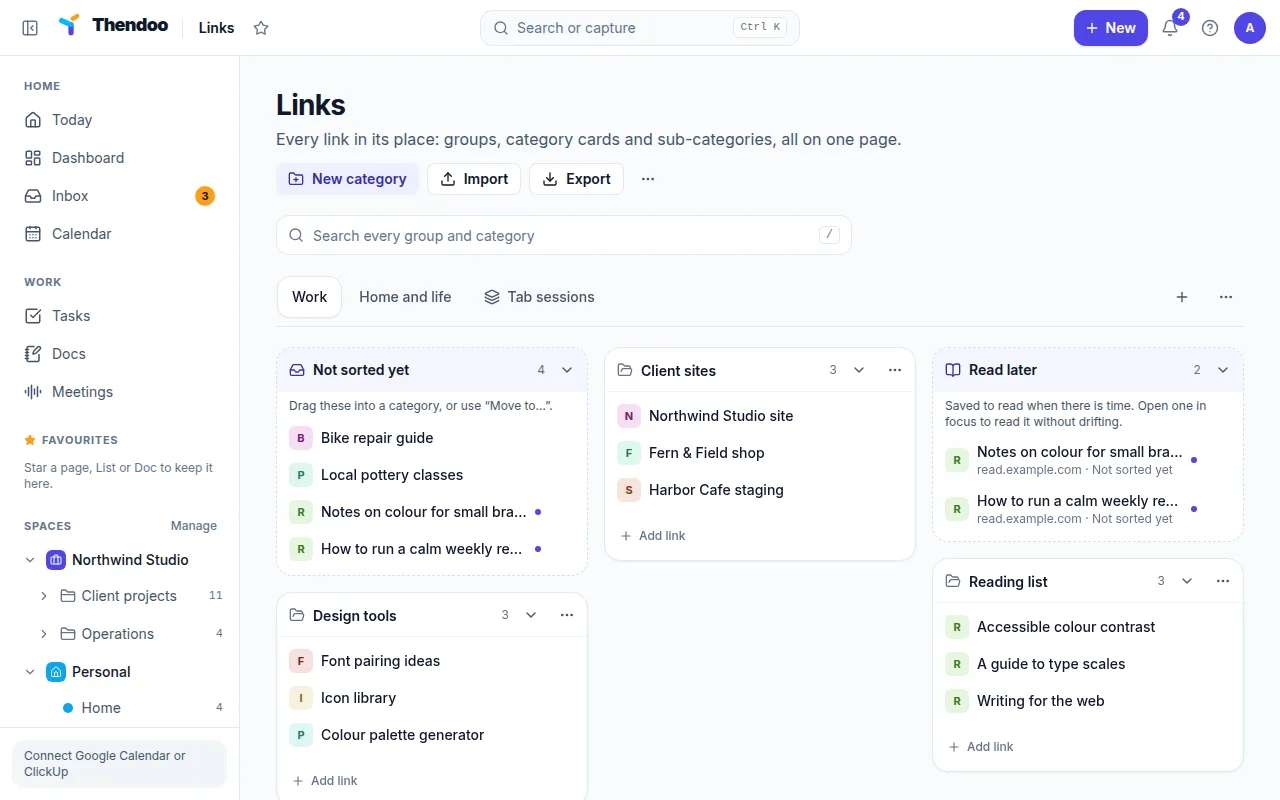
Links works like a browser start page: “Every link in its place: groups, category cards and sub-categories, all on one page.”
Three levels
Section titled “Three levels”- Groups are the tabs along the top. You start with My links; add others such as Work and Personal with New group. Each group can set Card columns to Auto or 1 to 6.
- Categories are cards arranged in columns, like “Clients” or “Daily tools”. Choose New category.
- Sub-categories are sections inside a card. Choose Add sub-category. When a card holds deeper levels, it shows “+2 inside” and Open in its own view opens a full page with a trail back to where you were.
Every link lives in a category. Links without one wait in Not sorted yet.
Save links fast
Section titled “Save links fast”- Paste anywhere on the page: Thendoo saves it and says “Saved a link from” the site.
- Add link on a card puts it straight into that category.
- Pin to top keeps a link in the Pinned links strip above everything.
Shape each card
Section titled “Shape each card”Open a card’s menu for Rename, colour and icon (the icon is one emoji) and Card size: Small (5 links, then “Show more”), Medium (10 links) or Large (every link). Drag cards between columns or onto another group’s tab, or use Move card up, Move card down and the column moves if you prefer the keyboard.
Read later, without the pile-up
Section titled “Read later, without the pile-up”Choose Add to read later on a link, or tick Read later when you save it, and it appears in the Read later card: “Saved to read when there is time.” When you are ready, choose Read in focus (25 min). The link opens and a 25-minute focus session starts with “Read” plus the link’s title as the first step. One article, one timer, then stop.
Find and tidy
Section titled “Find and tidy”Press / to Search every group and category at once. Find duplicates spots links that open the same page, ignoring tracking tags, the part after #, a trailing slash and capital letters. Pick the one to keep, then choose Merge 2 into one (the number matches the copies found), which combines their tags and notes.
Site icons
Section titled “Site icons”Show site icons is off by default and set per device. Icons load straight from each site, so those sites can see the request. Turn it on only if that trade feels fine to you.