Control AI and meeting audio
Settings → AI & meetings explains, in one place, how your meeting recordings are handled. The page hint sums it up: “How Thendoo uses AI for your meeting notes. Every suggestion waits for your confirmation.”
Today, AI is used for one thing only: notes and suggested tasks on the Meetings page. Planning, the Inbox, capture, search and money all work on plain rules, not AI.
On this server
Section titled “On this server”This section shows two services, read-only, with the note “Set by whoever runs this server.”:
| Shown as | What it receives | Possible values |
|---|---|---|
| Speech to text | The meeting audio | Development stand-in, Whisper-compatible server |
| Notes and suggestions | The written transcript and the meeting date | Development stand-in, Claude (Anthropic), OpenAI-compatible server |
Each one is also tagged Self-hosted or Cloud service, so you know whether your content leaves the server. Development stand-in means nothing real is processed: notes are placeholders. You can’t pick a provider or add your own API key; ask the person who runs your server.
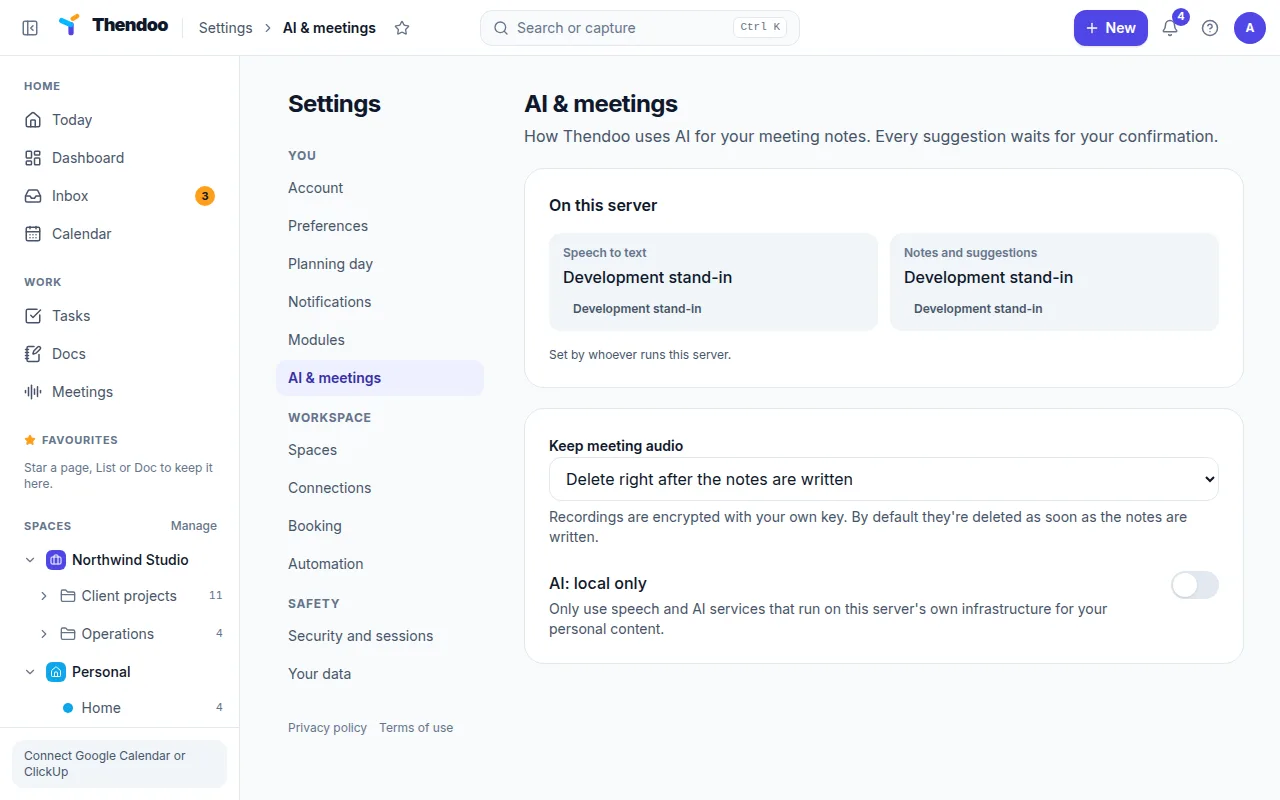
Keep meeting audio
Section titled “Keep meeting audio”Recordings are encrypted with your own key. Choose:
- Delete right after the notes are written (the default).
- Keep for 1 day, 7, 30 or 90 days, if you want to retry or listen again. An hourly job removes audio once its time is up.
The transcript and notes stay until you delete the meeting. Unlike the audio, they are stored like your Docs, without a separate encryption layer.
AI: local only
Section titled “AI: local only”Off by default. When it’s on, Thendoo will “Only use speech and AI services that run on this server’s own infrastructure for your personal content.” If your server uses a cloud service, meetings stop with a message telling you so, before any audio leaves the server. Turn it off again to use a cloud service.
What is never logged
Section titled “What is never logged”Prompts, transcripts and AI answers never go into server logs. Only the service name, model, size counts and response time are recorded, so problems can be fixed without anyone reading your meetings.