Search and keyboard shortcuts
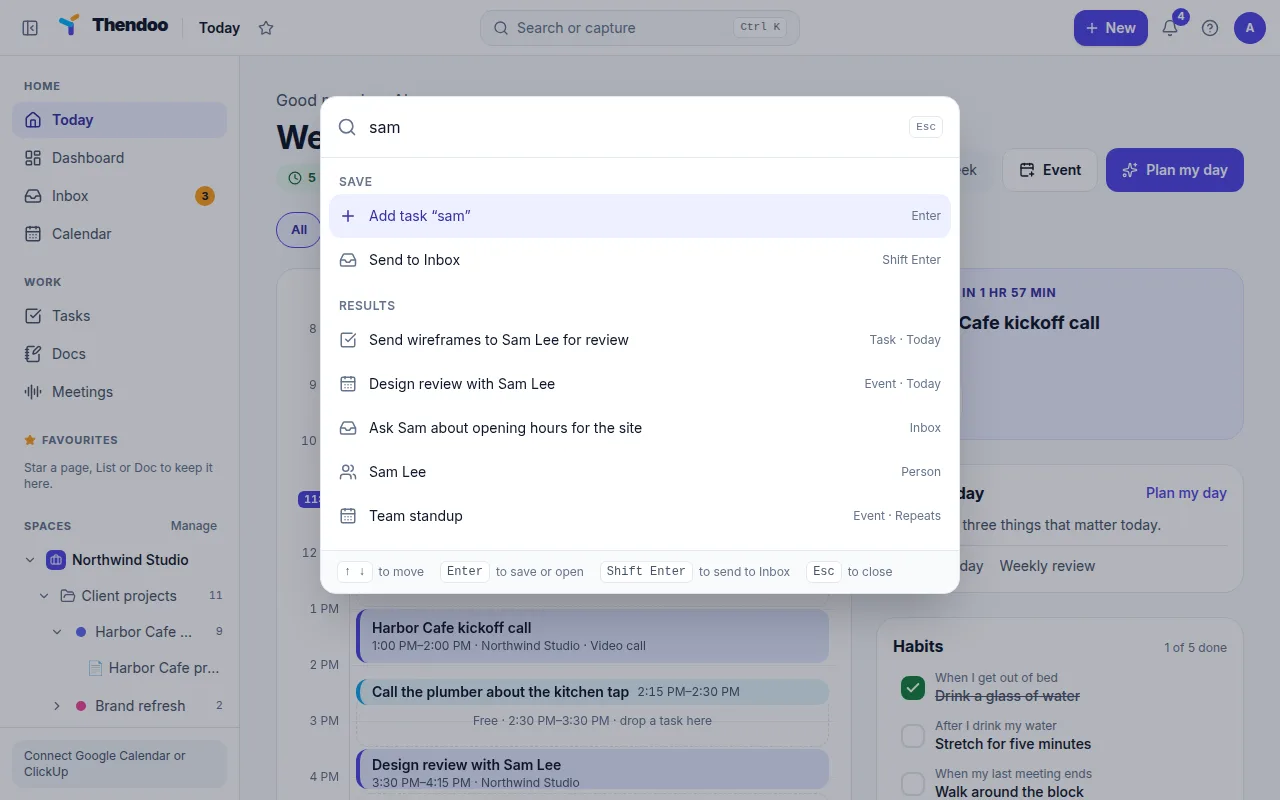
Press ⌘K on a Mac or Ctrl+K elsewhere, from any page, or click Search or capture in the top bar. The same box adds tasks, finds things and takes you places. There’s also a + New button next to it.
Search
Section titled “Search”Start typing and results appear under Results, up to five of each kind:
- tasks, by title
- calendar events, by title
- Inbox items
- Spaces
- people, by name
- saved links, by title
- renewals and documents, by title
Search forgives typos, so “dentsit” still finds “Dentist”. Type #123 to find task number 123. Use ↑ and ↓ to move and Enter to open a result.
Search looks at titles and names only, not notes or descriptions. A few things aren’t in this bar at all:
- Docs. Use Search Docs on the Docs page. It also matches titles only.
- Meeting notes and transcripts. Find the notes Doc by its title (“Meeting: …”) in Docs.
- Bookings and money transactions. Use the bookings list in Settings, and Search on the Money page’s Transactions tab.
Commands
Section titled “Commands”Type a word to jump: Go to Today, Go to Calendar, Go to Tasks, Go to Inbox, Go to Settings, plus New event, New task from template and settings pages such as Planning settings or Security and sessions.
Every keyboard shortcut
Section titled “Every keyboard shortcut”| Where | Keys |
|---|---|
| Anywhere | ⌘K / Ctrl+K: capture, search, commands |
| Capture bar | Enter adds a task · Shift+Enter sends to Inbox · ↑/↓ move · Esc closes |
| Inbox, Sort one at a time | T make task · D do it now · S someday · Delete or Backspace let it go · Esc stop |
| Calendar views | D day · X custom days · W week · M month · Y year · A schedule |
| Calendar moving | T today · J/K or ←/→ previous and next · G go to a date |
| Calendar actions | C or N new event · / search · ? show the shortcuts |
| Calendar, open event | E edit · Delete delete · Esc close |
| Links | / focuses the search box |
| Docs editor | / opens commands · @ mentions a Doc, task or person |
Today and Tasks have no single-key shortcuts, on purpose, so a stray key never moves your day around. On the calendar, press ? any time to see the list.