Automate small steps with rules
Some steps you take every time, by hand: tag a task Urgent, then move it to today. Rules take those steps for you. Find them under Settings → Automation. As the page puts it: “Small rules that do the busywork: when something happens, Thendoo takes the next step.”
How a rule is built
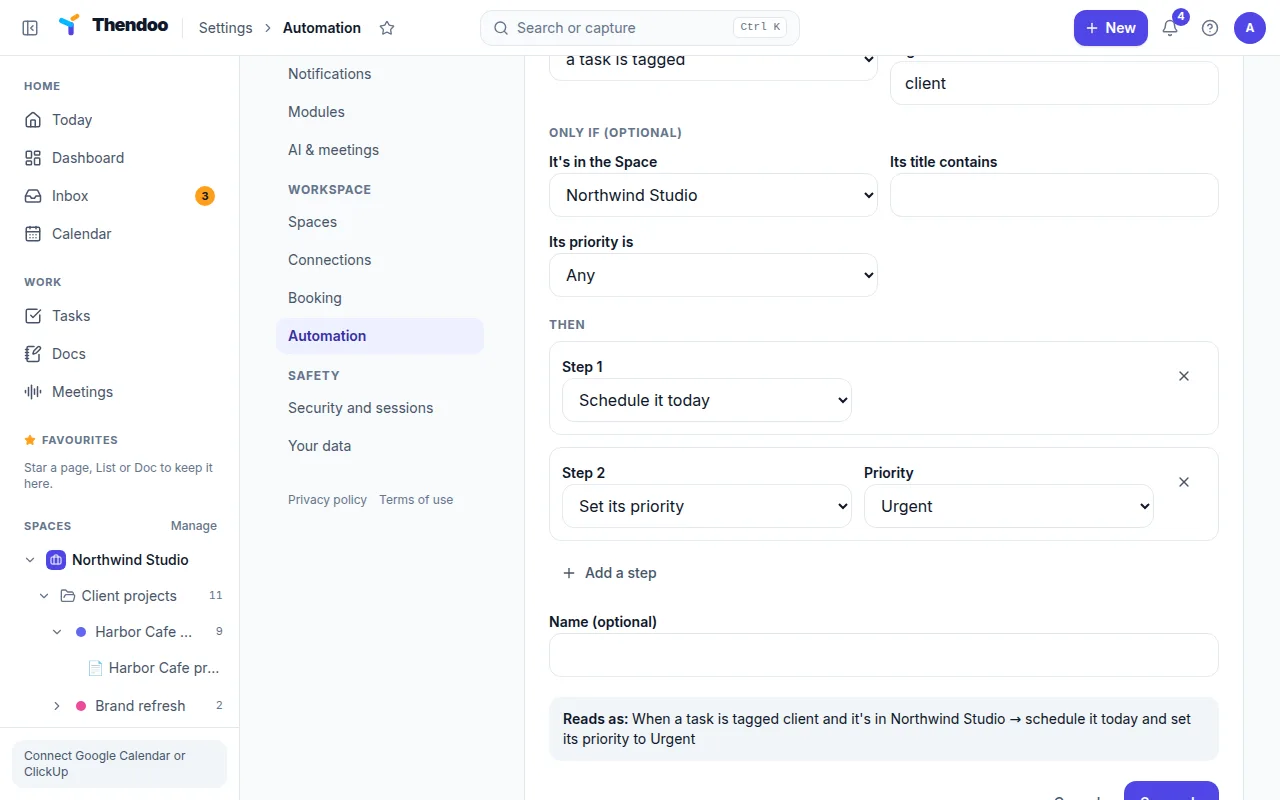
Section titled “How a rule is built”Every rule reads like a sentence, and the Reads as line shows it before you save.
When (pick one):
- a task is created
- a task is tagged (you pick the tag)
- a task is finished
- a task is due today
- a calendar event ends
Only if (optional) narrows it down: It has the tag, It’s in the Space, Its title contains, Its priority is.
Then runs one to ten steps, in order:
- Schedule it today
- Set its priority
- Add a tag
- Move it to a Space
- Create a task, due Today, Tomorrow or In a week. Type
{title}in the new task’s title to reuse the original task’s or event’s title. - Remind me, Right away, In 10 minutes or In an hour
Four rules worth copying
Section titled “Four rules worth copying”- Urgent today: when a task is tagged Urgent → schedule it today. It’s the built-in example; choose Add this rule.
- Meeting wrap-up: when a calendar event ends, only if its title contains “client” → create a task “Send notes:
{title}” due today. - Invoice reminder: when a task is finished, only if it’s in the Space “Freelance” → create a task “Send invoice” due tomorrow.
- Gentle nudge: when a task is due today, only if its priority is Urgent → remind me right away.
Good to know
Section titled “Good to know”- You can have up to 100 rules. Each one shows when it last ran and how many times. Switch one off without deleting it.
- A rule’s own changes never set off other rules, so two rules can’t loop forever.
- On tasks synced from ClickUp, rules don’t change the date or priority. Those stay with ClickUp.
- Time-based triggers (a task is due today, a calendar event ends) are checked every 5 minutes, so expect a short delay.
- Remind me shows up under the bell and as a browser pop-up while Thendoo is open. See how reminders work for the limits.
- Turning off the Automation module stops every rule. Deleting a rule leaves anything it already changed as it is.