Build and run a routine
A habit is one small thing. A routine is several small things in order, like a morning launch: water, meds, shower, dressed, bag by the door. Routines carry you from one step to the next so you don’t have to remember what comes after.
Habit or routine?
Section titled “Habit or routine?”- Use a habit for a single action you want to repeat and track, such as “Take vitamins”. Habits have streaks and reminders.
- Use a routine for a sequence you walk through, with a timer per step. Routines don’t have streaks, so there’s nothing to keep up; they’re there when you need them.
Build one
Section titled “Build one”- Go to Habits and choose the Routines tab.
- Choose New routine and give it a Name, such as “Morning routine”.
- Add a When (optional) cue, such as “After waking up”.
- Under Steps, choose Add step for each action. Set a time for each one, from 5 seconds up to 4 hours (one minute if you don’t change it). Use the move up and move down controls to reorder.
- Choose Add routine.
You can have up to 50 steps, but most good routines have three to seven. The list shows the total time, which is a useful reality check: if your morning routine adds up to 95 minutes, something can probably go.
Run it
Section titled “Run it”Choose Start and the routine fills the screen.
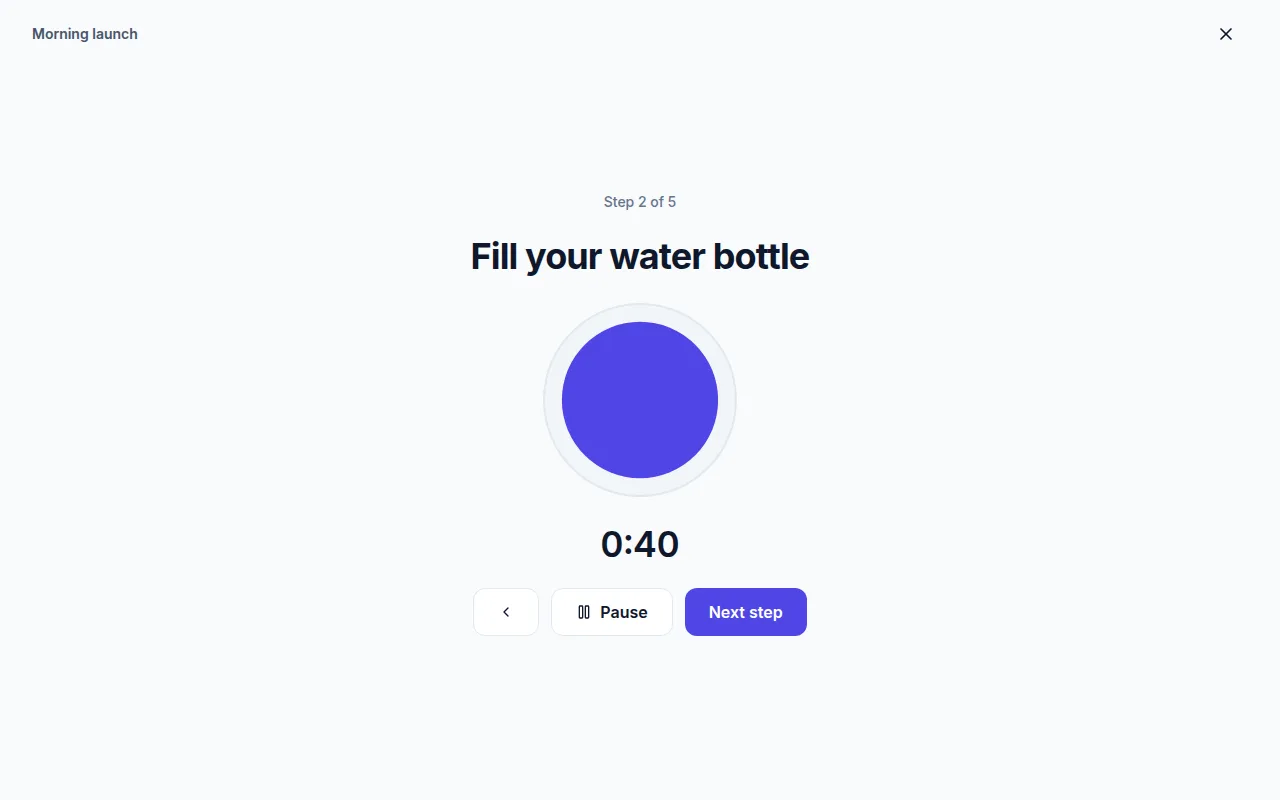
- Each step shows Step 2 of 5 (or wherever you are) and a countdown.
- Pause and Resume stop the clock without losing your place. Previous step goes back.
- When time runs out, Thendoo says “Time is up. Move on when you are ready.” It does not jump ahead on its own, so a slow step never leaves you behind.
- Choose Next step to move on, and Finish on the last one.
The end screen says All done and how many steps you finished. Stop the routine leaves at any point.
Current limits
Section titled “Current limits”Routines don’t send reminders yet, and the cue is a label to help you remember, not a trigger. If you want a nudge, create a habit such as “Start morning routine” with a time reminder, and open the routine from there.