Build your dashboard
Today shows your day as a timeline. The Dashboard is different: it’s a board of small cards for the things you glance at often, like bills this week, your inbox count or a scratchpad. Open it from Dashboard in the sidebar.
Add and arrange widgets
Section titled “Add and arrange widgets”Choose Edit dashboard. The page tells you “Arrange your widgets. Changes save as you go.”
- Choose Add widget and pick one from the list.
- Drag a widget by its handle to move it. If you’d rather not drag, open its menu (More for the widget’s name) and choose Move earlier or Move later.
- Set its size to S, M or L.
- Choose Done when it looks right.
Each dashboard holds up to 30 widgets. Fewer is calmer: three to six is plenty for most people.
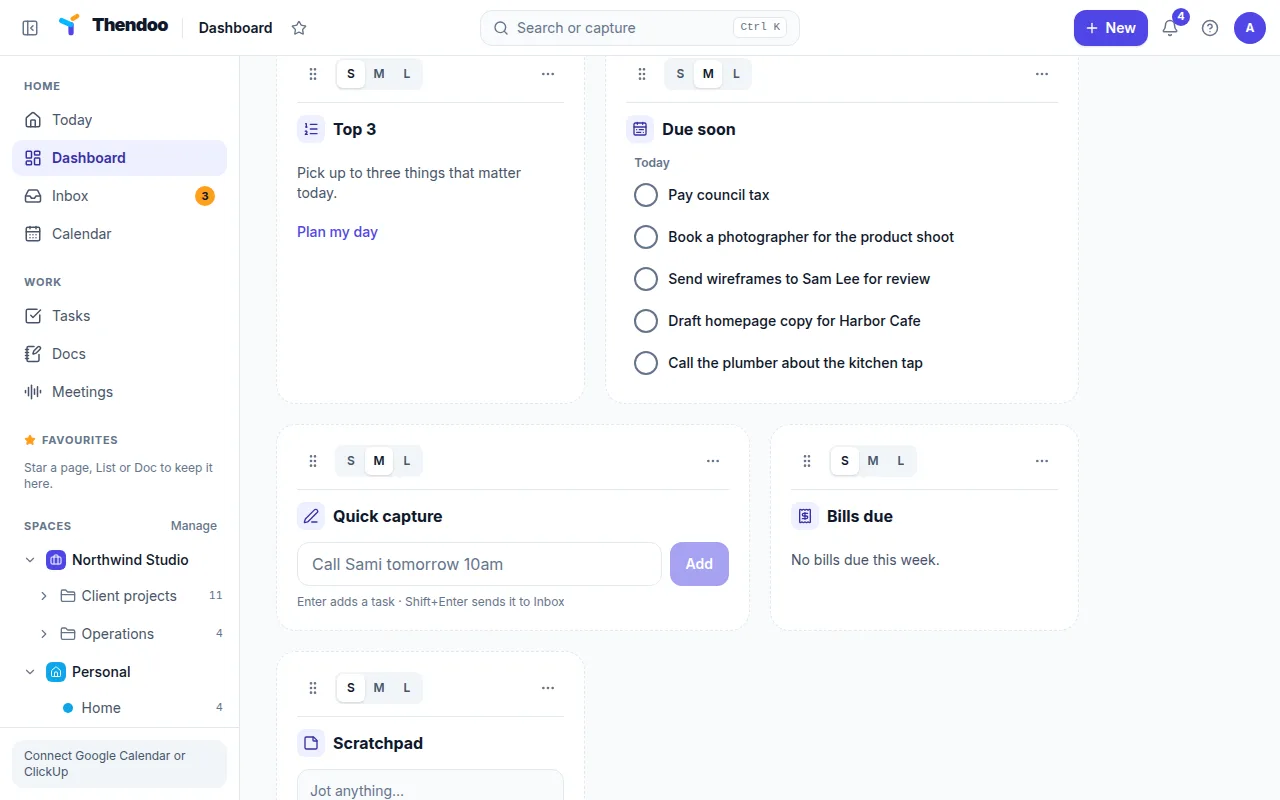
The 15 widgets
Section titled “The 15 widgets”| For your day | For your head | For money and life |
|---|---|---|
| Today’s agenda | Quick capture | Bills due |
| Top 3 | Inbox | Money this month |
| Due soon (next 7 days) | Scratchpad | Renewals soon |
| Habits today | Pinned docs | Clock & world times |
| Focus this week | Pinned links | Mini calendar |
Some widgets have Settings in their menu. Today’s agenda and Due soon let you set How many items and limit them to one Space. Bills due, Renewals soon and the two pinned widgets take How many items. Clock & world times takes extra Time zones, such as Europe/London for a client abroad.
If you’ve turned a module off, its widget leaves the list. With Habits and routines off, for example, Habits today isn’t offered.
Keep more than one dashboard
Section titled “Keep more than one dashboard”In edit mode, tabs appear along the top, one per dashboard. Choose New dashboard to add one, then rename it with Dashboard name. You can have up to 20. A common split is one tab per Space: “Work” with agenda, due soon and focus, “Home” with bills, renewals and habits.
Delete dashboard removes only that board and its widgets. Your tasks, notes and other things stay where they are.
Start Thendoo on the dashboard
Section titled “Start Thendoo on the dashboard”Today is the start page by default. If you’d rather land here, choose Edit dashboard and turn on Open Thendoo on the dashboard. You can switch back at any time.