Change your account settings
Settings opens on Preferences. The sidebar groups the pages into three sets:
| Group | Pages |
|---|---|
| You | Account, Preferences, Planning day, Notifications, Modules, AI & meetings |
| Workspace | Spaces, Connections, Booking, Automation |
| Safety | Security and sessions, Your data |
How you sign in
Section titled “How you sign in”You can sign in with an email and password. If your Thendoo server is set up for it, you can also use Continue with Google.
Passwords need at least 10 characters. A short sentence works well. Changing your password signs out your other devices, which is handy if you think someone else knows it.
There’s no “forgot password” link yet, and no sign-in by magic link or passkey. TODO-verify: what a person who forgets their password should do today (support contact or self-hosted admin step). Two-step sign-in is available and has its own guide.
Time zone and clock
Section titled “Time zone and clock”These settings live on three pages:
- Account: your Home time zone, the zone your day is planned in.
- Planning day: when you travel, choose Times follow where I am (the default) or Always show my home time zone; pick the day your week starts (Monday by default, or Sunday or Saturday).
- Preferences, under Language and region: the clock, Automatic, 24-hour or 12-hour.
- Planning day also sets the hours your day runs, 08:00–20:00 to start with. Find a time in the calendar only suggests slots inside these hours.
Look and feel
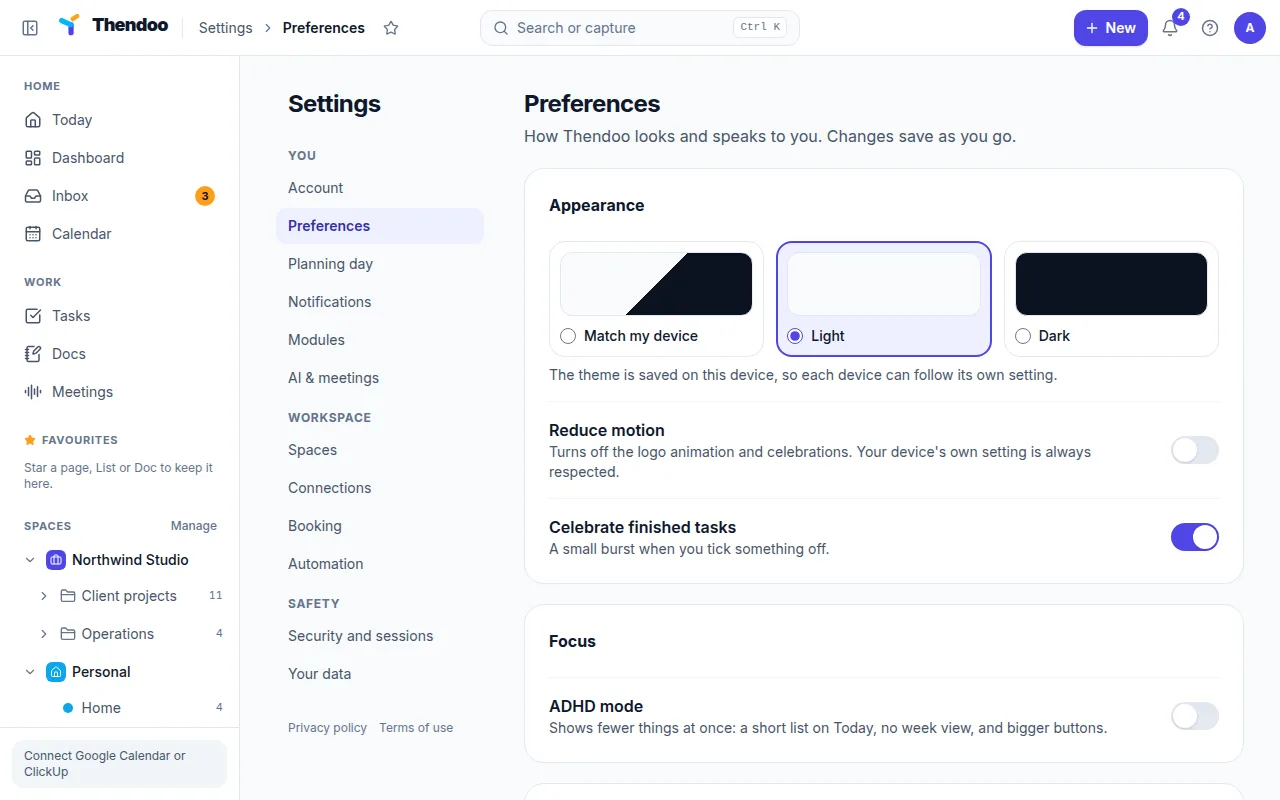
Section titled “Look and feel”- Theme: Match my device (the default), Light or Dark. The theme is saved per device, so your phone browser can stay dark while your laptop stays light.
- Reduce motion tones down animations.
- Celebrate finished tasks is on by default. Turn it off if you’d rather finish quietly.
Language
Section titled “Language”Thendoo is in English only for now. The language menu is there but turned off, with the note Hebrew and Arabic are coming.
AI & meetings
Section titled “AI & meetings”AI & meetings only matters if you use the Meetings page. Under On this server it shows which speech-to-text and notes services your Thendoo server uses. You can’t change them here; they are “Set by whoever runs this server.” What you can choose:
- Keep meeting audio: Delete right after the notes are written (the default), or keep it for 1, 7, 30 or 90 days.
- AI: local only, off by default. Turn it on and your meetings only use speech and AI services running on the server’s own infrastructure. If the server uses a cloud service, Thendoo stops before any audio leaves the server and tells you why.
Booking
Section titled “Booking”Booking is where you set up a public page that lets other people pick a free time with you: meeting types, weekly hours, rules such as minimum notice, and a link to share. Visitors see only when you’re free, never what’s in your calendar. Until you create the page, nobody can book you.
Devices and recent activity
Section titled “Devices and recent activity”Under Security and sessions:
- Signed-in devices lists every browser that’s signed in. Sign out any single one, or choose Sign out everywhere else.
- Recent activity lists sign-ins, password and two-step changes, data exports, and account deletion or restore.
If you spot a sign-in you don’t recognize, sign out everywhere else, change your password and turn on two-step sign-in.