Choose which modules you see
Thendoo does a lot, and you probably don’t need all of it this week. Modules let you take parts out of the menu so the app matches the way you work right now.
How it works today
Section titled “How it works today”Every module starts on when you create your account. You choose what to hide, not what to add. The settings page says it plainly: “Turn on only what you use. A hidden module leaves the menu; nothing is deleted.”
Today and Tasks can’t be hidden. They are the heart of Thendoo and always stay on.
The five switches
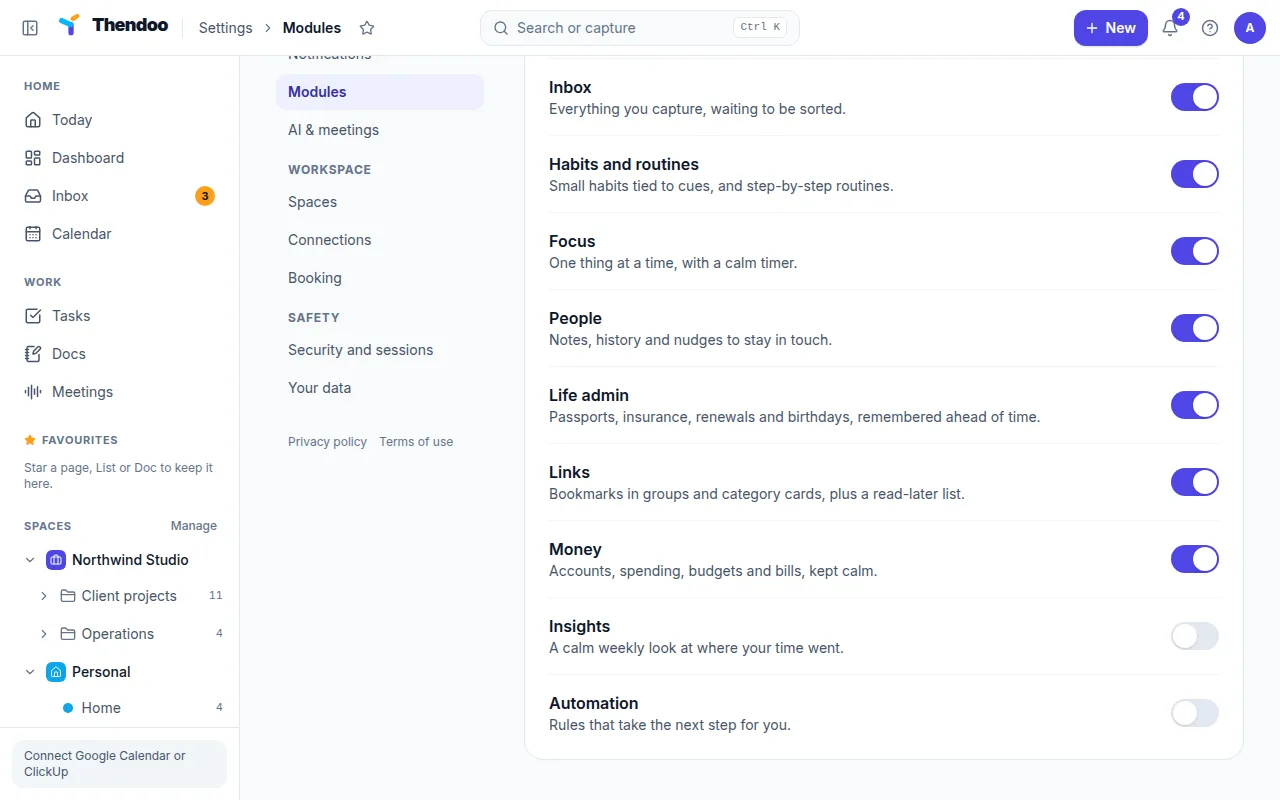
Section titled “The five switches”Go to Settings → Modules (in the You group). You can turn these off:
| Module | What it covers | Hide it if… |
|---|---|---|
| Calendar | Your calendars and events, with month, week and day views | You only need meetings on Today’s timeline |
| Inbox | Everything you capture, waiting to be sorted | You always add tasks straight away with Enter |
| Habits and routines | Small habits tied to cues, and step-by-step routines | You’re not building habits yet |
| Insights | A calm weekly look at where your time went | Numbers about your week don’t help you |
| Automation | Rules that take the next step for you | You have no rules set up |
Turning Automation off also stops every automation rule from running until you turn it back on.
What you can’t hide yet
Section titled “What you can’t hide yet”Money, People, Life admin, Links, Docs, Focus, Meetings and the planning pages don’t have a switch in Settings yet. They stay in the menu. Booking can’t be switched off either; it lives under Settings → Booking, and nobody can book you until you create a booking page there.
A good starting set
Section titled “A good starting set”If Thendoo feels like too much on day one, try hiding Insights and Automation for your first week. Keep Inbox on, because fast capture is where most people feel the difference first. Turning a module back on brings back everything in it exactly as you left it.