Export your data
Your data is yours, and you can take a full copy of it at any time. No support ticket, no waiting for an email.
Download a copy
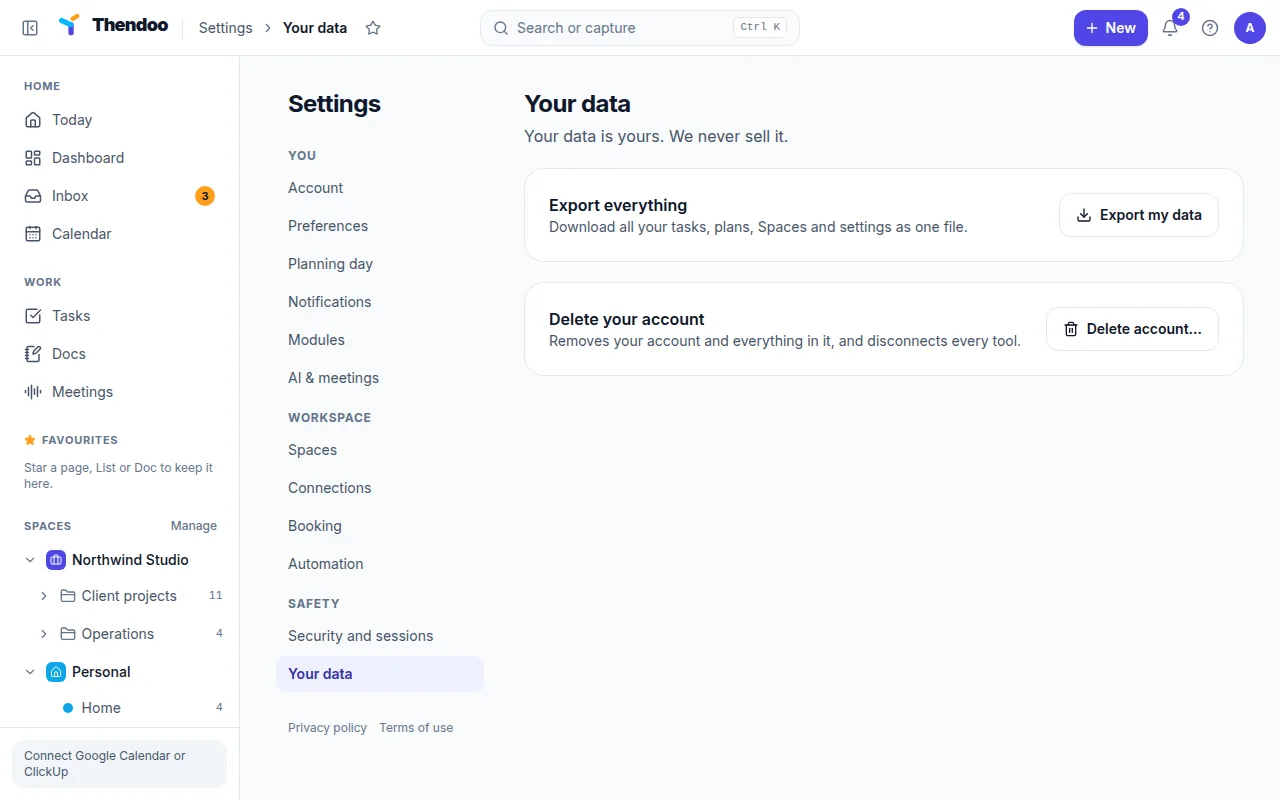
Section titled “Download a copy”- Go to Settings → Your data.
- Choose Export my data.
- Your browser downloads
thendoo-export-YYYY-MM-DD.zip, dated the day you exported.
You can export up to 10 times an hour. If you reach the limit, wait a little and try again.
What’s inside
Section titled “What’s inside”The zip holds plain JSON files, one per kind of record. That covers your tasks, Spaces, habits, calendar events, money accounts and transactions, Docs, links and the rest. Alongside them are:
- your account details
- your audit log, the same history shown under Recent activity
- a manifest that lists what the export contains
JSON is a text format that any developer, script or spreadsheet tool can read. For a quick look, open a file in a text editor.
Files you uploaded, such as Scans and photos in Life admin, are listed by name, type and size, but the files themselves aren’t in the zip. Download any you want to keep from Life admin before you rely on the export.
What’s never exported
Section titled “What’s never exported”What you can’t do with it yet
Section titled “What you can’t do with it yet”There’s no way to import an export back into Thendoo yet, either into the same account or a new one. Treat the export as a personal backup and a way to take your records elsewhere, not as a restore button.
Before deleting your account
Section titled “Before deleting your account”Export first. Once your account is erased, the data can’t be recovered.