How reminders work (and their limits)
A reminder you can’t count on is worse than none, so here is exactly what Thendoo does today.
The one rule to remember
Section titled “The one rule to remember”A pinned browser tab is the simplest fix. Phone notifications come with the phone app, which isn’t available yet.
Where reminders show up
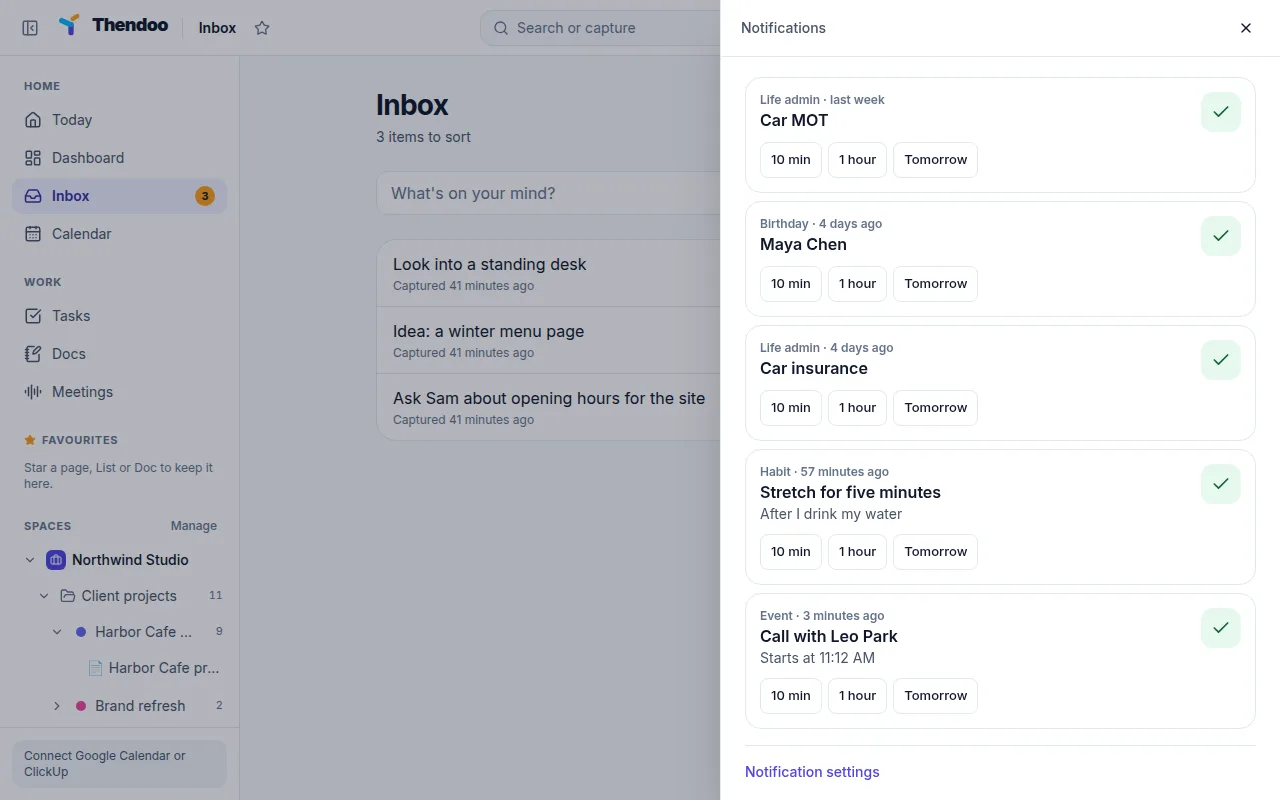
Section titled “Where reminders show up”- The bell. It checks for new reminders every 30 seconds. When nothing is waiting it says All clear.
- Browser pop-ups, once you turn them on in Settings → Notifications with Turn on browser pop-ups. Use Send a test to check. If your browser blocked them, allow notifications for the site in the browser’s settings, then reload.
On any reminder, choose Done to clear it everywhere, or snooze it for 10 min, 1 hour or until Tomorrow.
What can remind you
Section titled “What can remind you”| Source | When |
|---|---|
| Calendar events | At the start, or 5, 10, 15, 30, 60 or 120 minutes, 1 day or 1 week before (up to 5 per event) |
| Habits | At a time, After another habit, or When a meeting ends |
| Bills | The day before (a week before for yearly bills) |
| Renewals and documents | At 09:00, the number of days before you chose |
| Birthdays | 7 days before |
| People follow-ups | On the day you picked |
| Automation | A rule’s Remind me step |
What doesn’t remind you yet
Section titled “What doesn’t remind you yet”- Tasks. You can’t set a reminder on a single task from the app. A rule with Remind me on a task is due today is the closest option.
- Routines. They run when you press Start, but they never send a reminder.
- Place triggers. At a place (phone app) is saved on a habit, but it never fires.
- Booking reminders go by email to your guest, not to your bell.
Quiet hours
Section titled “Quiet hours”Quiet hours are off until you turn them on. Then reminders that come up between From and Until (22:00 to 07:00 to start with) wait until the window ends. Nothing is dropped.