Tasks and projects
Every task knows how long it takes and when it fits
Capture a task in one line, give it a size and an energy level, and drag it into a free slot on Today. Lists, boards, tables and a timeline cover the bigger projects.
See a day in Thendoo
A short, clickable walk-through with sample data. Nothing here is saved.
- Renew passport next month
- Call the landlord about the boiler
- Draft the quarterly report
- Book the dentist
- After I pour my coffee → Take my vitamins
- When I sit at my desk → Write today’s top 3
- When my last meeting ends → Close the day
- 09:00Focus: quarterly report
- 11:00Team check-in
- 14:00Focus: client proposal
- Electricity · Due Thursday$84.50
- Phone plan · Due Saturday$25.00
Capture a thought in seconds. It lands in your Inbox, ready to sort later.
Step 1 of 4
What you can do
One-line capture with a local parser
Press ⌘K or Ctrl+K anywhere and type "call Sami tomorrow 10am
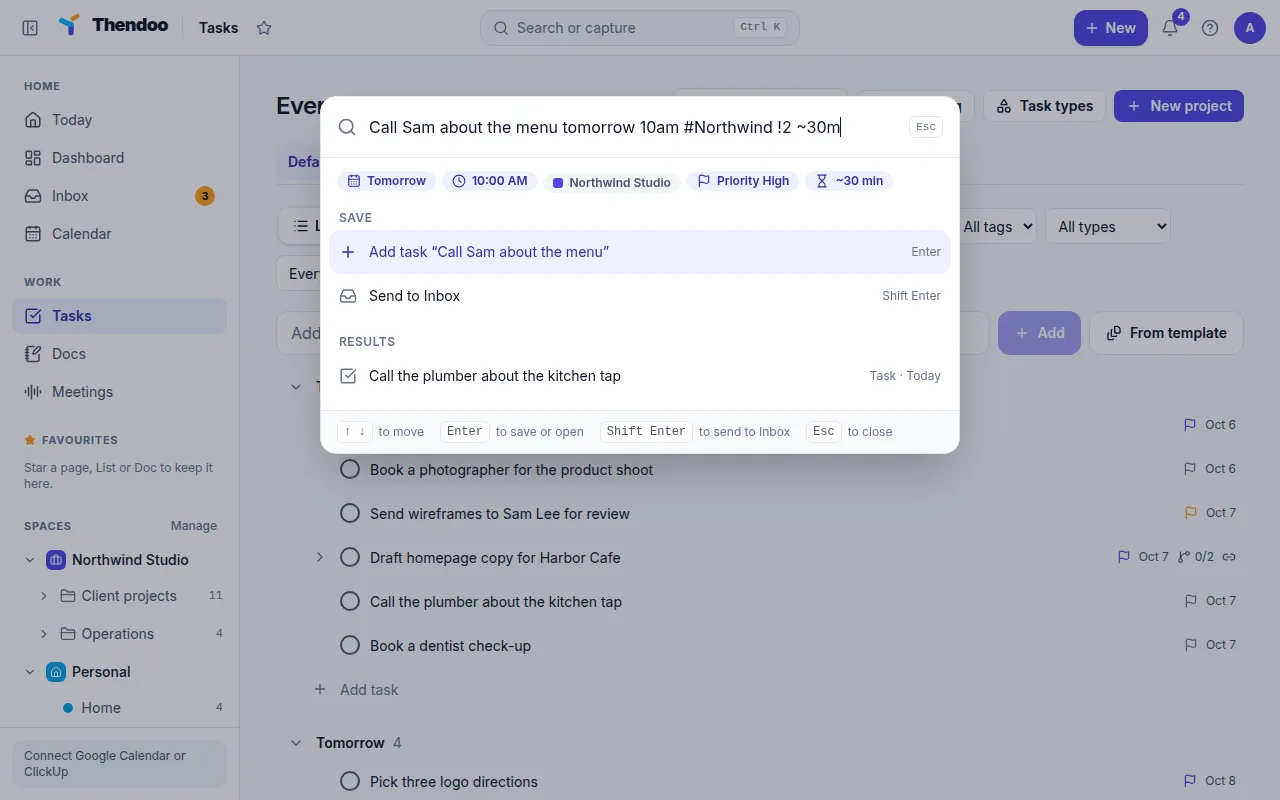
Four layouts for the same tasks
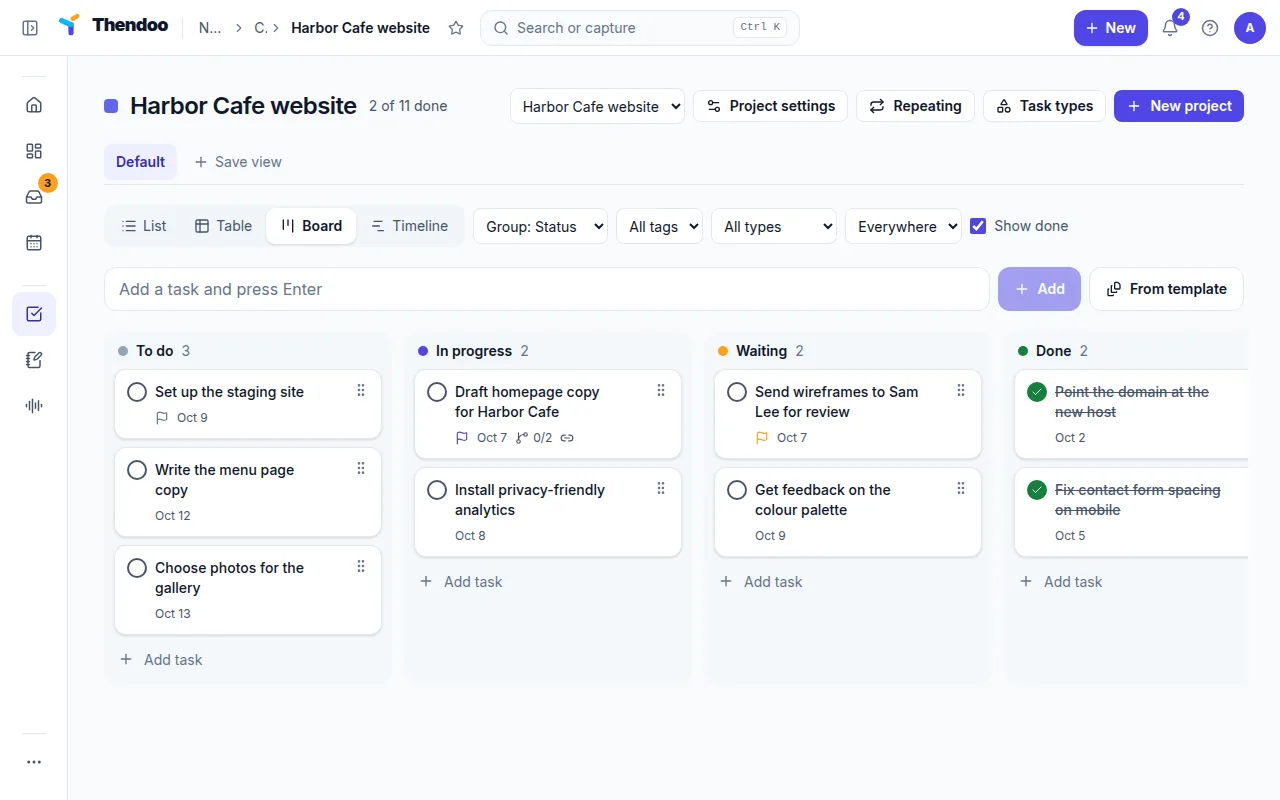
Switch between List, Table, Board and Timeline. Group by status, priority, Space, project, type or due date, and keep up to five sort keys in a Save view. The Timeline shows 42 days and lets you drag bars to change dates.
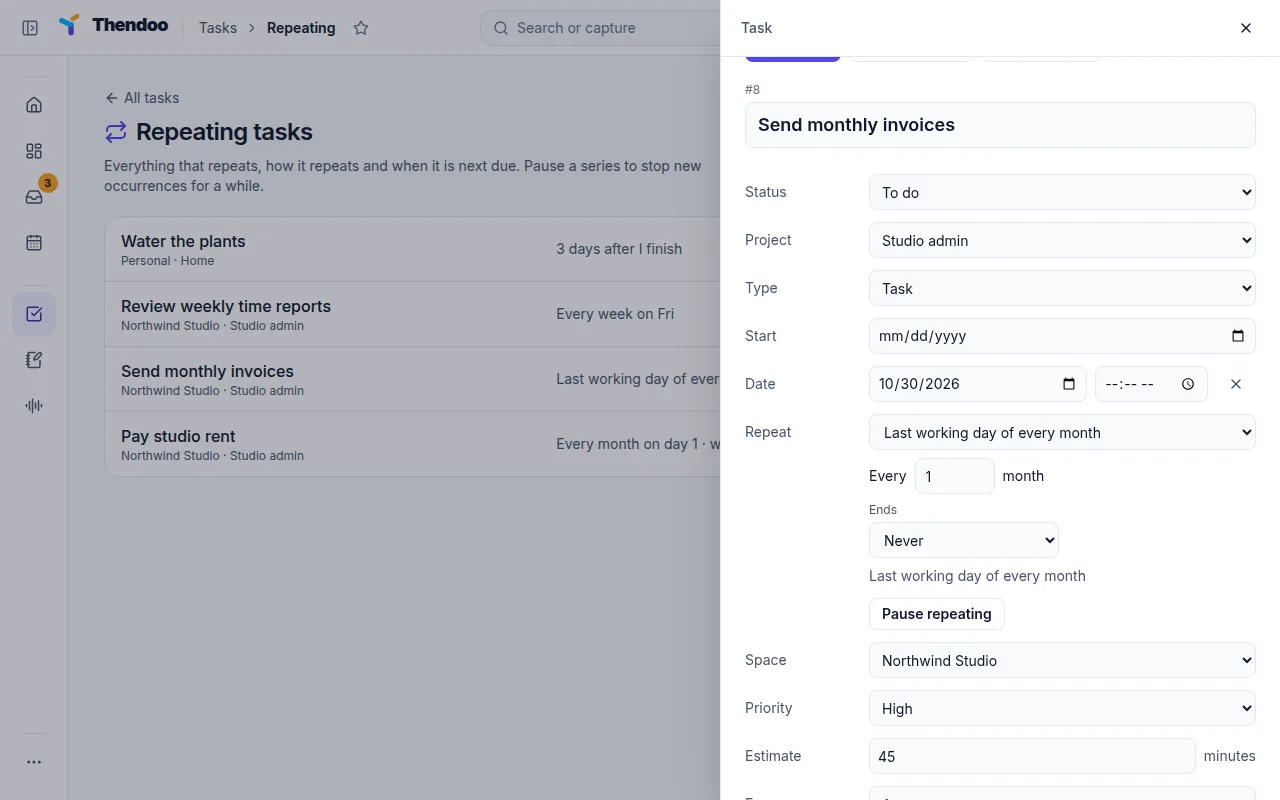
Repeats that follow how life works
Pick a preset like Last working day of every month, Every quarter (3 months) or Some days after I finish it. Only one occurrence is open at a time, so a missed week never leaves a pile of copies behind.
Fields for real projects
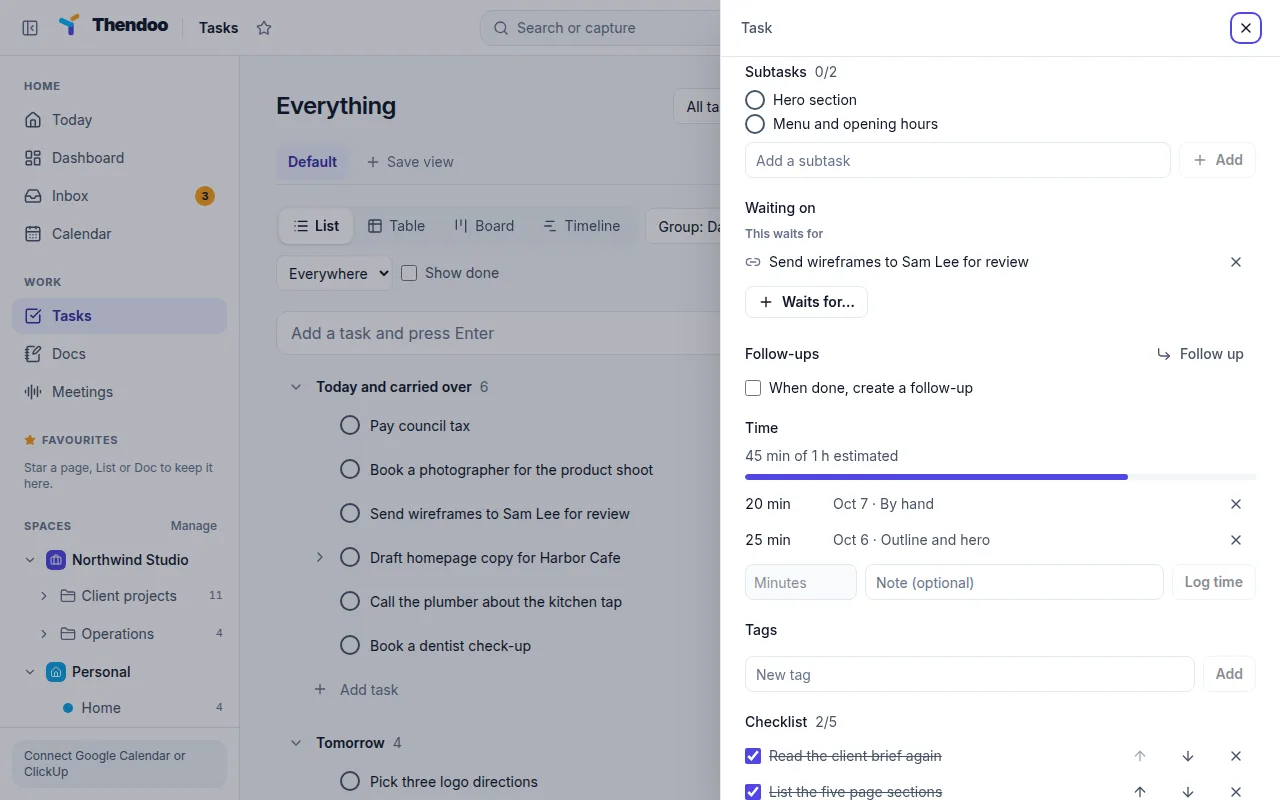
Each List can have its own statuses (up to 30), and tasks take custom fields such as Dropdown, money, rating or progress. Add subtasks, a checklist of up to 100 steps, dependencies ("Waiting on") and a Follow up task that appears after a set number of days.
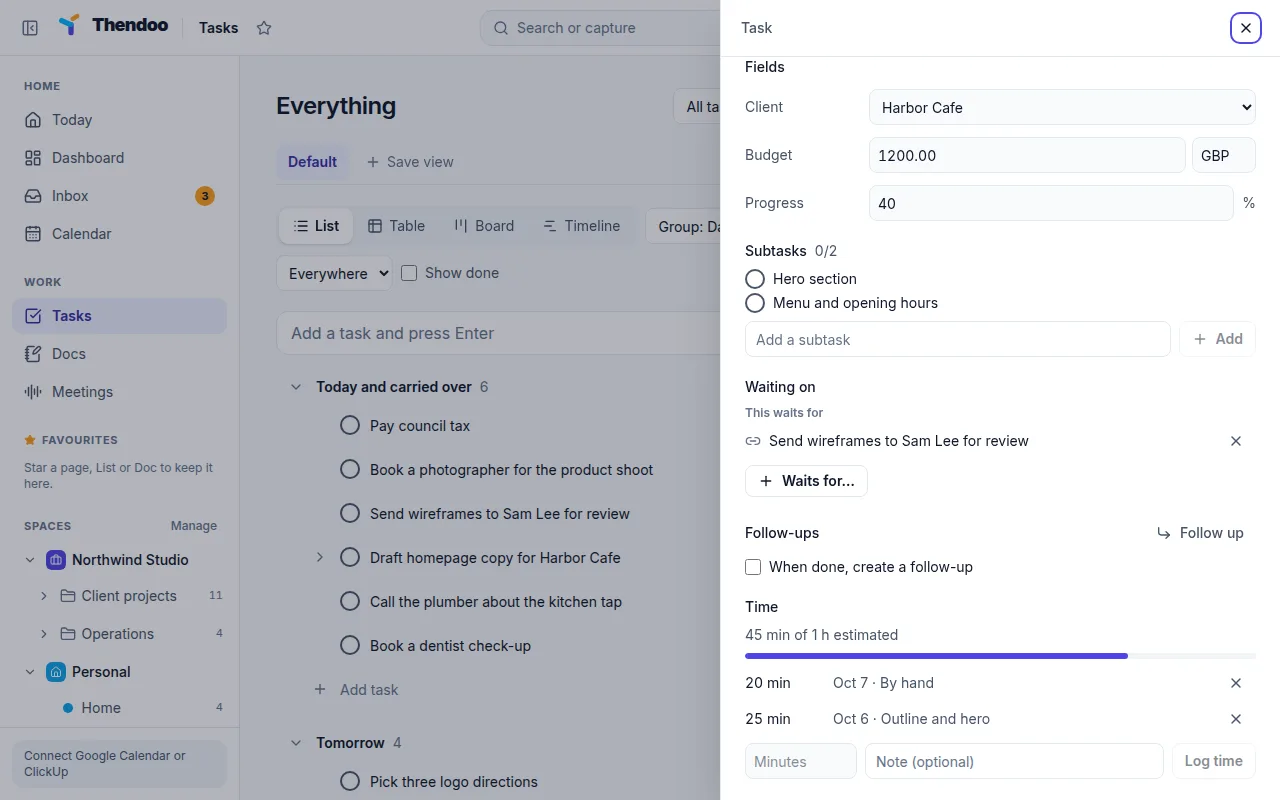
Time tracking against the estimate
Press Start timer or Log time, and the panel shows how much you tracked against the estimate. Minutes from focus sessions are added automatically, which makes the next estimate a little more honest.
How tasks feed your Today view
Tasks are the raw material for Today. Anything due today, anything Carried over and anything without a date waits in the To schedule tray. Drag one onto the timeline, or press its schedule button, and it takes the next free slot for the length of its estimate (30 minutes if you didn’t set one). The block can then be dragged or resized like any calendar item.
The morning Plan my day step uses the same tasks. It groups them as Carried over, Due today, No date and Coming up, lets you pick up to three, and warns you when those picks need more time than you have free. The three you choose become the Top 3 today card.
At the end of the day, Close the day lets you mark each task Done, Tomorrow or Leave. Unfinished work rolls forward instead of piling up as a list of things you missed.
Who it suits, and what is different
Thendoo tasks suit people who know what to do but lose track of when. Priority and due dates exist, as in most to-do apps, but each task also carries an Energy level (low or high) and an estimate in minutes, so it can be placed in a real gap between meetings.
The other difference is tone. There is no “overdue” count anywhere in the app. Repeating tasks only ever keep one copy open, and Follow up tasks remind you to chase a reply without you having to remember. If you already live in ClickUp, the tasks assigned to you show up here with their ClickUp dates kept, and Thendoo handles the scheduling.
Questions
What happens to a task I didn't get to?
It shows as Carried over in the To schedule tray on Today. Nothing turns red. If you prefer, turn on auto-reschedule in Settings and earlier-dated tasks move to today on their own; it is off by default.
Can I change many tasks at once?
Yes. Select up to 500 tasks and Complete, Set date, change Priority or Status, or move them to another project or Space in one go.
Can I assign tasks to other people?
Not yet. Thendoo is a single-person planner today, so there are no assignees, shared lists or comments from others. If your team works in ClickUp, Thendoo can pull in the tasks assigned to you there.
Is there a calendar layout for tasks?
Not on the Tasks page. Tasks with dates appear as a layer on the Calendar page instead, and the Timeline layout shows dates across six weeks.
Give your brain one place to look.
Set up your first Today in about five minutes. Connect a calendar, add three things, start a focus session.