Calendar
Your meetings and your plans, on the same grid
Thendoo's calendar shows events next to the time you set aside for tasks. Drag a task onto an empty hour, and it becomes a time block that also appears on Today.
See a day in Thendoo
A short, clickable walk-through with sample data. Nothing here is saved.
- Renew passport next month
- Call the landlord about the boiler
- Draft the quarterly report
- Book the dentist
- After I pour my coffee → Take my vitamins
- When I sit at my desk → Write today’s top 3
- When my last meeting ends → Close the day
- 09:00Focus: quarterly report
- 11:00Team check-in
- 14:00Focus: client proposal
- Electricity · Due Thursday$84.50
- Phone plan · Due Saturday$25.00
Meetings and focus blocks share one timeline, so free time is easy to see.
Step 3 of 4
What you can do
Seven views and keyboard control
Choose Day, a custom number of days, Week, Work week, Month, Year or Schedule. Single keys switch views (D, W, M, Y, A), C creates an event, G jumps to a date, and ? opens the full list of shortcuts.
Layers you can switch on and off
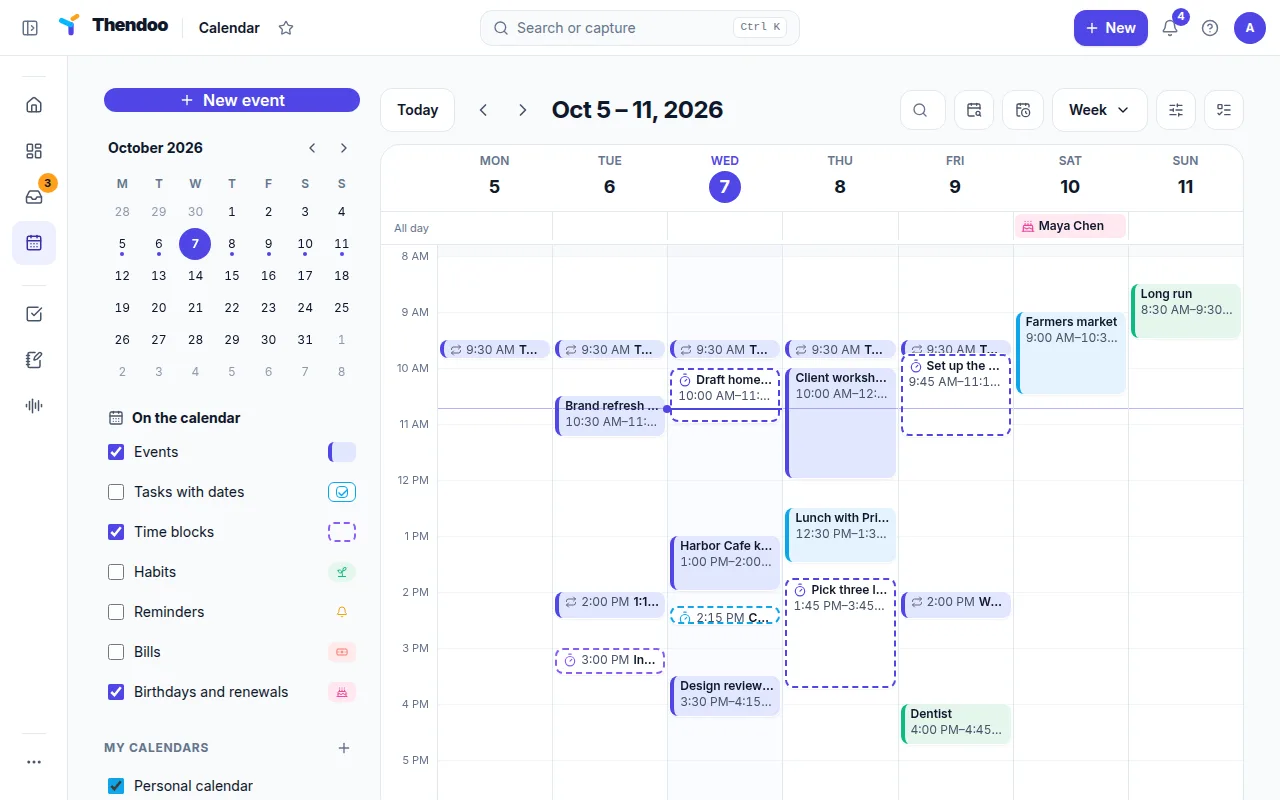
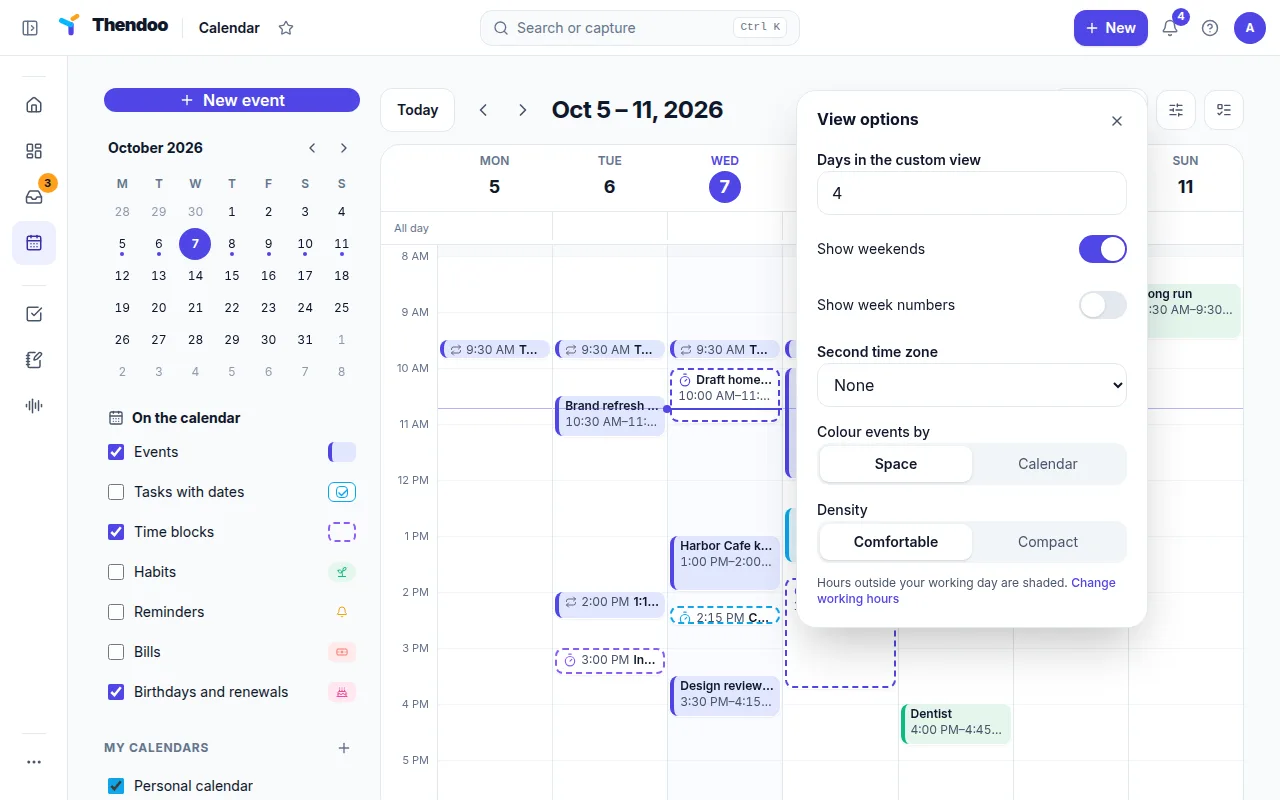
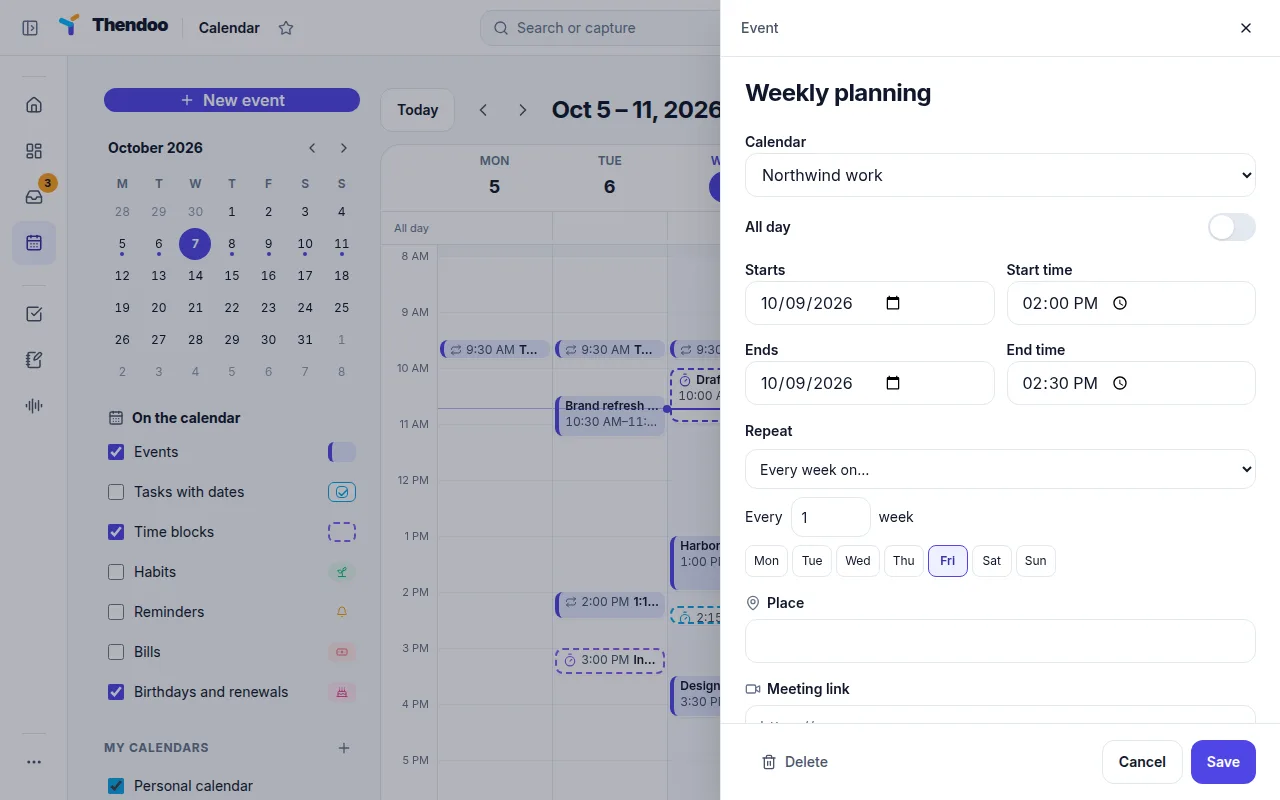
Under On the calendar, show or hide Events, Tasks with dates, Time blocks, Habits, Reminders, Bills and Birthdays and renewals. Color by Space or by calendar, and add a second time zone.
Drag tasks onto real free time
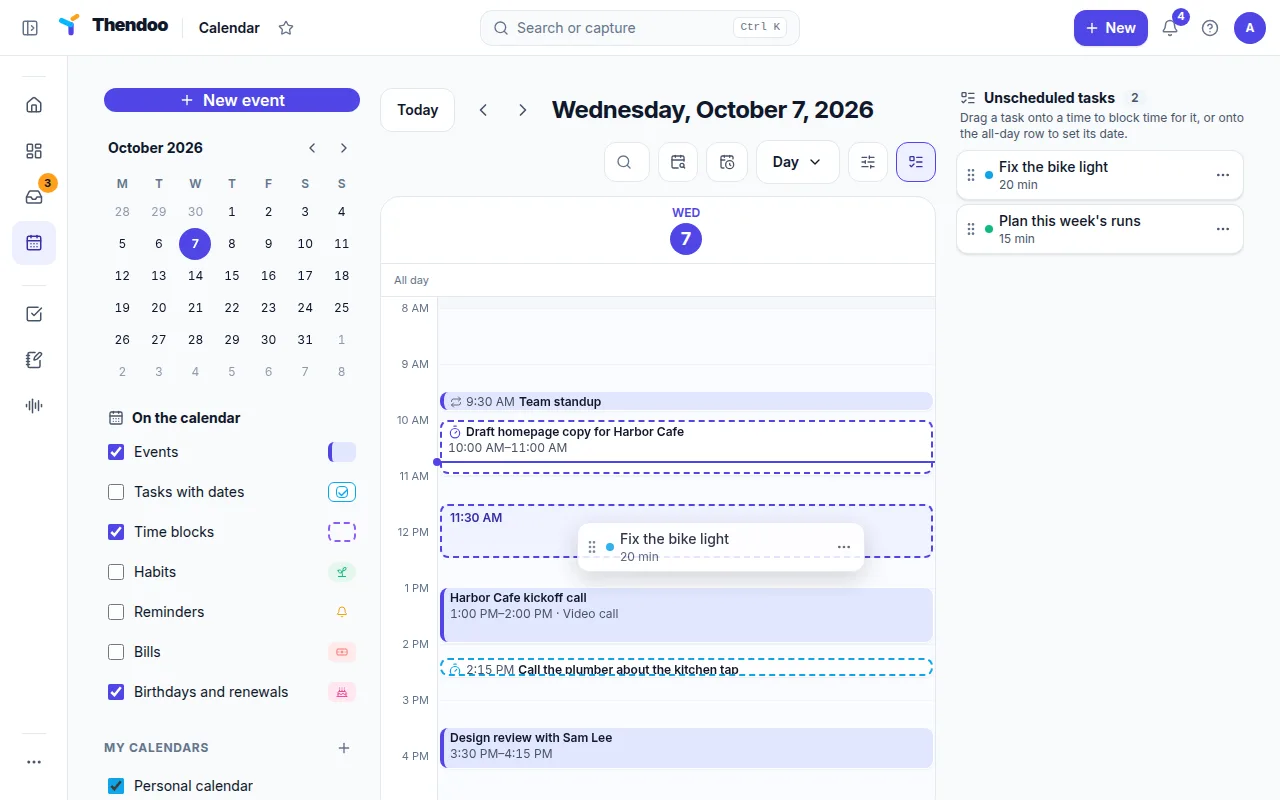
Drag from Unscheduled tasks onto an hour to make a time block, or onto the all-day row to give it a date. Everything snaps to 15 minutes, can be resized, and offers Undo.
Find a time in seconds
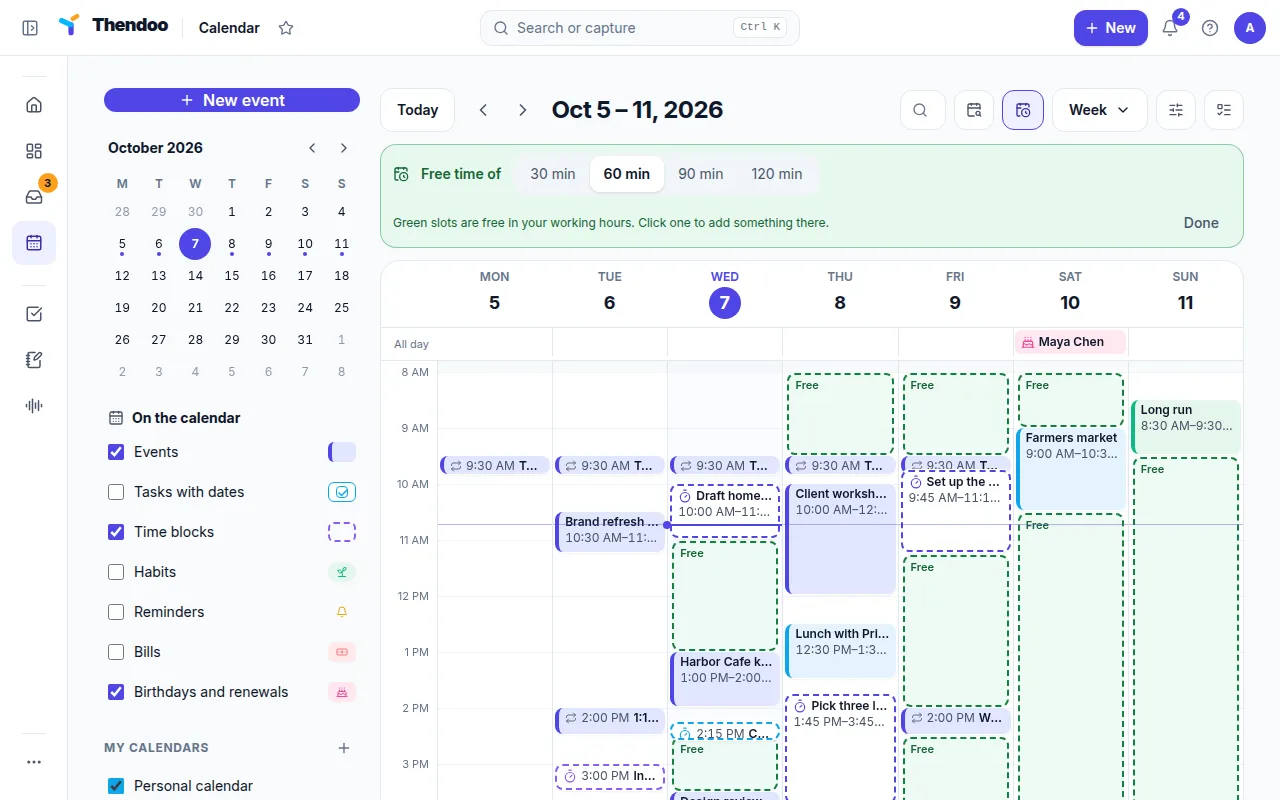
Find a time looks for free 30, 60, 90 or 120-minute slots inside your working hours, so you don't have to scan a crowded week by eye.
Events with everything a meeting needs
Add a location, a meeting link with a Join button, notes, a Space and up to five reminders. Repeating events ask whether to change This event, This and following events or All events.
How the calendar feeds your Today view
Today’s timeline is the calendar for one day, reduced to what matters right now. Events from the calendars you marked Show on Today fill it first. Time blocks you create on the calendar appear there too, and any gap of 30 minutes or more shows as “Free · drop a task here”. The free-time pill at the top (“2h 30m free”, for example) is simply the calendar’s empty space added up.
That works in both directions. A block you drag onto Today shows up on the calendar, and one you resize on the calendar changes Today. The meeting count in the Today summary comes from the same events.
Who it suits, and what is different
Most calendars only know about meetings, and most task apps only know about deadlines. Thendoo’s calendar puts the two side by side, which helps anyone whose to-do list looks fine until they notice there are only 40 free minutes left in the day.
It also suits people with more than one Google account. You can connect several, pick which calendars count on Today, and assign each calendar to a Space so a client call and a school pickup are colored differently. Thendoo only asks Google for read access, plus a separate write permission for the “Thendoo” calendar if you choose to send time blocks back.
Questions
Can I edit my Google Calendar events from Thendoo?
Not today. Google events are read-only in Thendoo; you can only change which Space they belong to. Create or edit them in Google, and they appear in Thendoo within about five minutes.
Do my time blocks show up in Google Calendar?
If you want them to. Turn on Show my time blocks in Google Calendar and Thendoo writes them to a separate "Thendoo" calendar in one Google account. It never writes to your other calendars.
Which other calendars can I connect?
Google Calendar only, from one or several Google accounts. Outlook, iCloud and ICS links are not supported yet. Thendoo does have its own booking page under Settings → Booking, which counts your Thendoo and Google events as busy time; booked meetings land on a Thendoo calendar, not in Google.
Can I keep calendars of my own in Thendoo?
Yes. Everyone has My calendar, and Add a calendar creates more, each with a name, a color and a show or hide switch.
Give your brain one place to look.
Set up your first Today in about five minutes. Connect a calendar, add three things, start a focus session.