Money
Where your money comes from, where it goes, and what is due
Thendoo's Money module keeps your accounts, spending and bills in the same place you plan your day. Import a bank statement as CSV or Excel, let rules and your past choices sort it, and get a quiet nudge before a bill is due.
See a day in Thendoo
A short, clickable walk-through with sample data. Nothing here is saved.
- Renew passport next month
- Call the landlord about the boiler
- Draft the quarterly report
- Book the dentist
- After I pour my coffee → Take my vitamins
- When I sit at my desk → Write today’s top 3
- When my last meeting ends → Close the day
- 09:00Focus: quarterly report
- 11:00Team check-in
- 14:00Focus: client proposal
- Electricity · Due Thursday$84.50
- Phone plan · Due Saturday$25.00
Bills due this week show up on Today, next to everything else.
Step 4 of 4
What you can do
Statement import that won't double-count
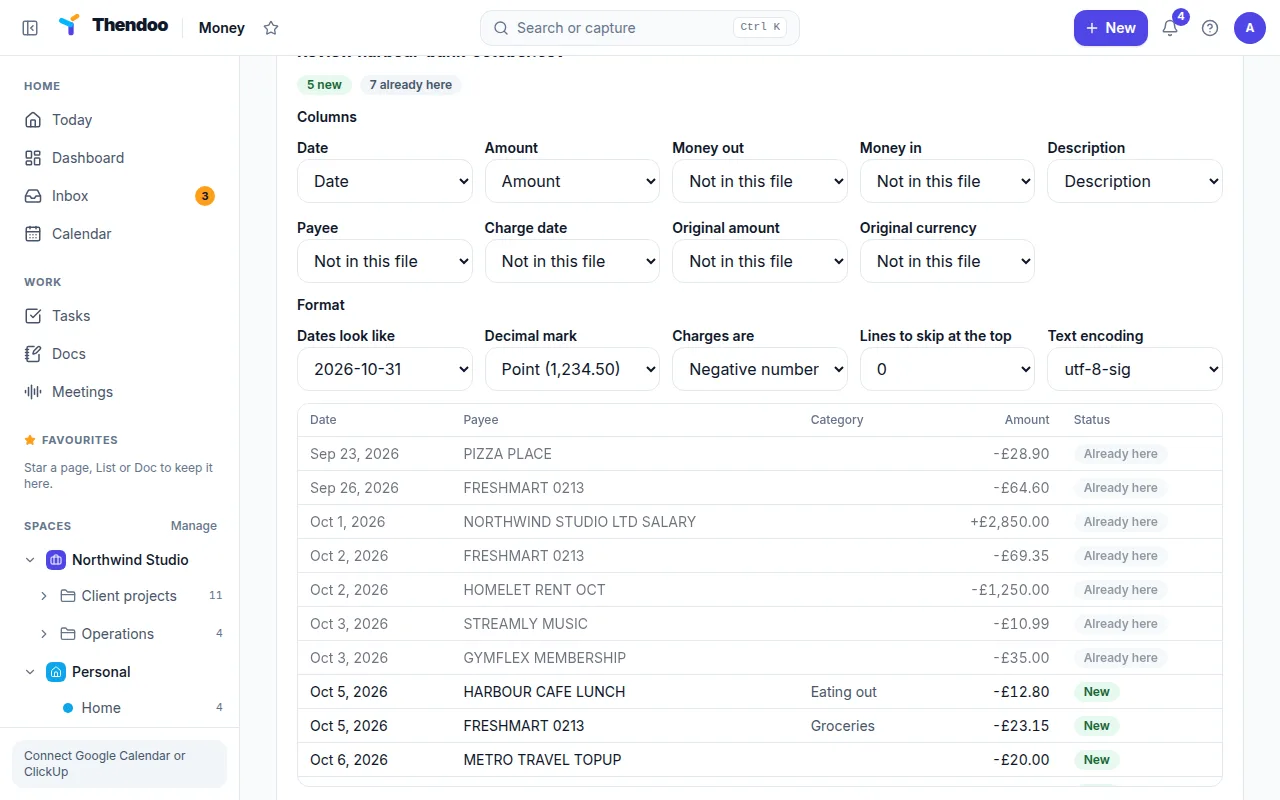
Upload a bank or card statement as CSV or Excel (up to 5 MB and 20,000 rows). Thendoo finds the header row and columns, suggests categories from your rules and past choices, and merges lines with entries you added by hand. Overlapping files add zero duplicates, linked card payments count your spending once, and Undo import reverses a whole file.
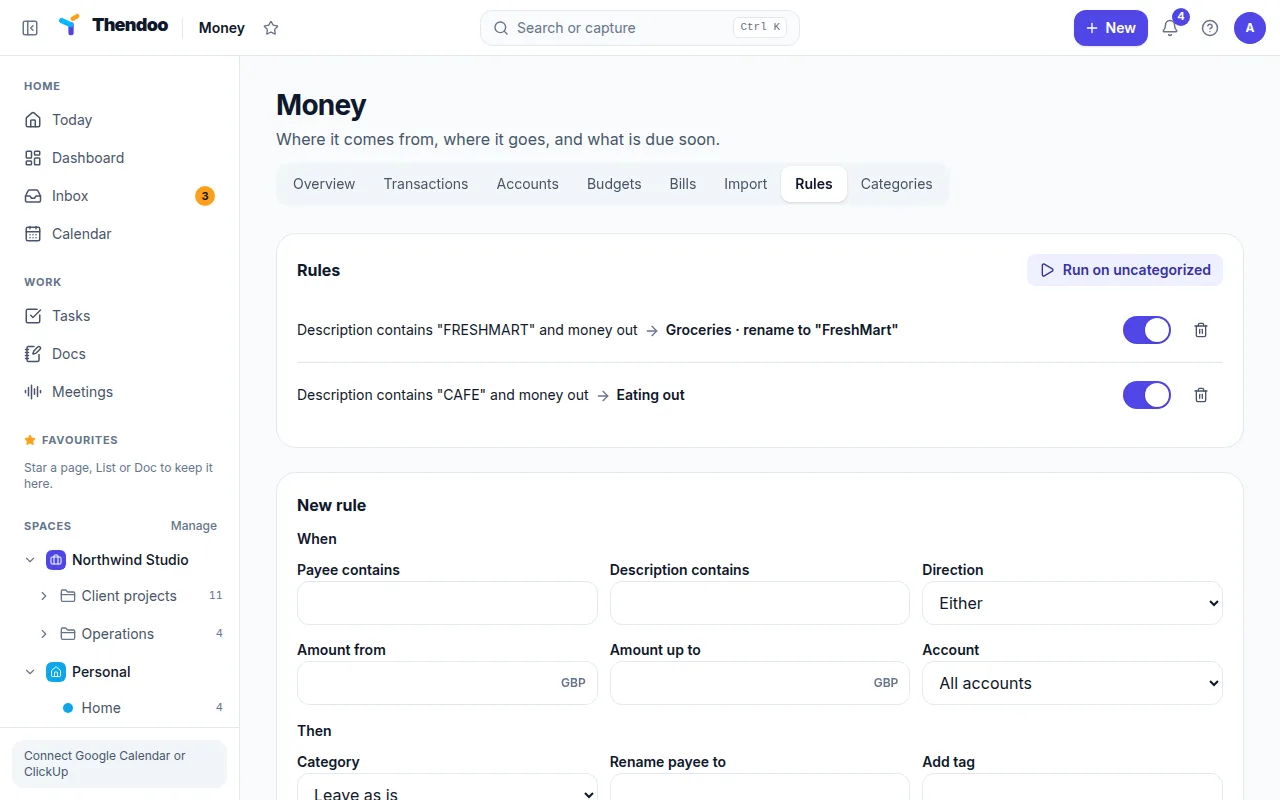
Rules that sort spending for you
Write a rule like "Payee contains Shufersal → Groceries". Rules can also rename a payee or add a tag. They run on quick add and import, and Run on uncategorized applies them to what is already there.
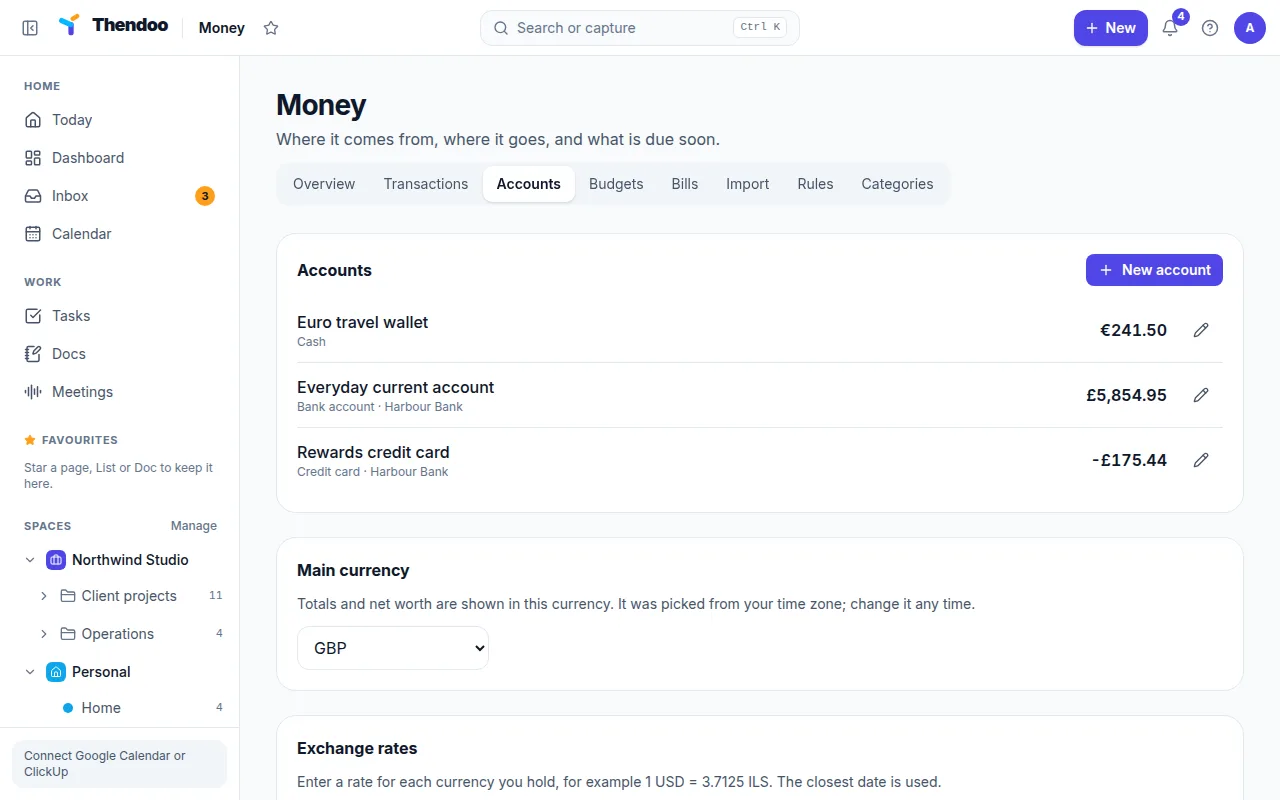
Several accounts and currencies
Add bank accounts, credit cards, cash, digital wallets, loans and investments, each in its own currency. Amounts are stored exactly, never rounded. Exchange rates are entered by hand, and Net worth converts to your Main currency.
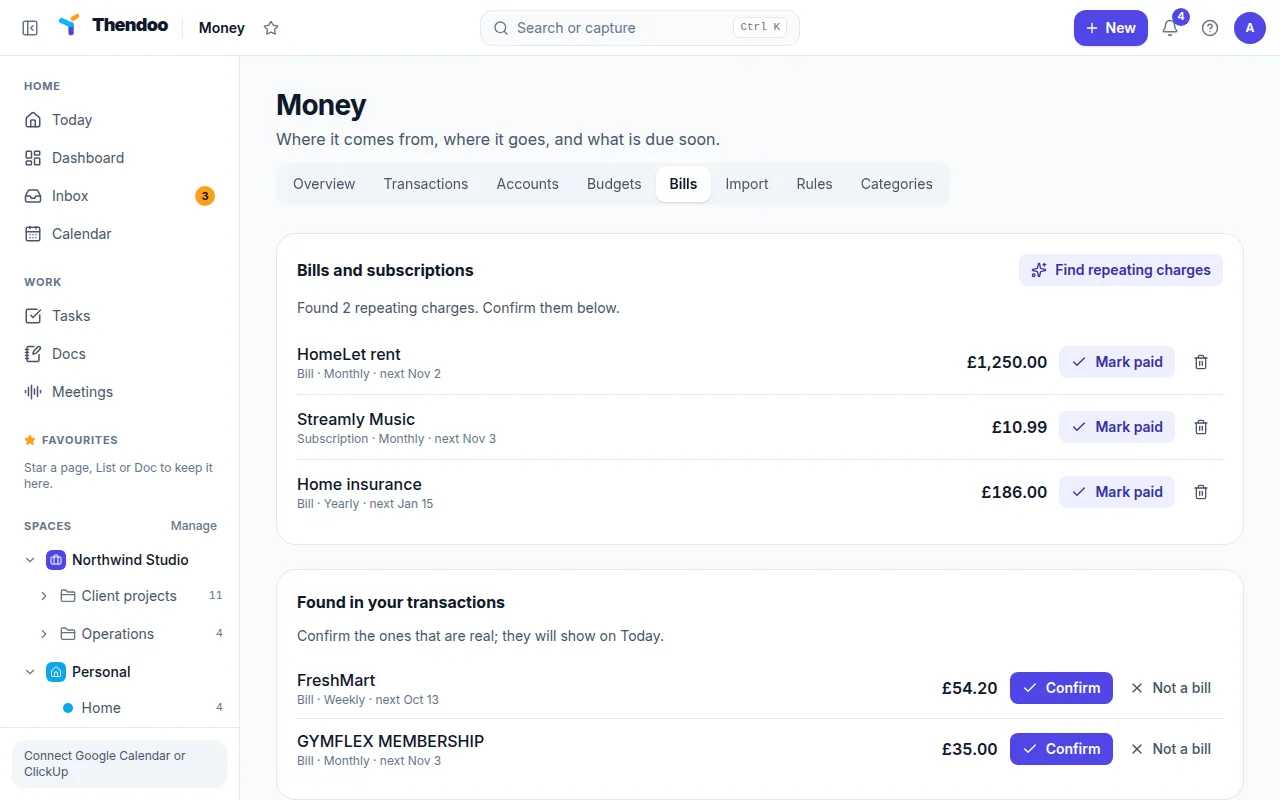
Bills found from your own history
Find repeating charges looks back 400 days for the same payee at a similar amount and suggests bills and subscriptions you can Confirm. A matching charge or Paid moves the next due date forward.
Monthly budgets in calm colors
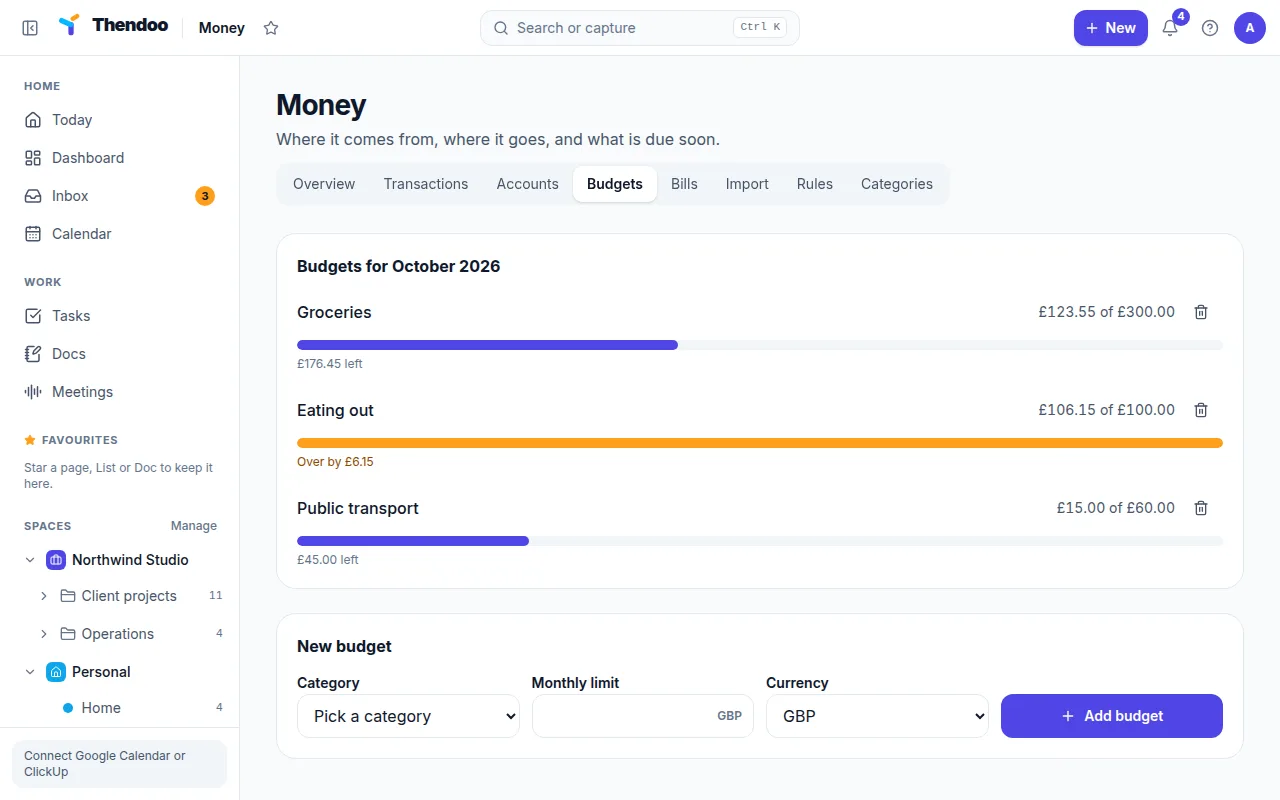
Set a monthly limit per category; sub-categories roll up into their parent. Cards read "spent of limit" and "left", and going over shows a soft orange, never red.
How Money feeds your Today view
Money’s main link to Today is the Bills card. Any bill or subscription due in the next seven days appears there next to your tasks and habits, so the electricity bill sits beside everything else you have to do today. A reminder also arrives the day before (a week before for yearly bills) while Thendoo is open in a tab.
Bills can be shown as a layer on the Calendar too. The Money Overview adds a Coming up list for the next 14 days, so a quick look on a Monday covers the week’s payments.
Who it suits, and what is different
Money suits people who want to know roughly where the month went without keeping a spreadsheet by hand. The import does most of the work: it reads English, Hebrew and some Arabic, French, German and Spanish column headers, handles separate debit and credit columns, reads Excel workbooks and the web-page files many banks save as .xls, and remembers a bank’s format once you save it. Card payments links the monthly bank line that pays your credit card to the card’s charges, so that spending isn’t counted twice.
It differs from dedicated budgeting apps in two ways. First, bills live in the same place as your plan, not in a separate app you forget to open. Second, the wording stays calm: “Over by”, in orange, with no warnings. What is missing is just as clear. There is no bank sync, no receipt storage and no spending report per Space yet.
Questions
Does Thendoo connect to my bank?
No. There is no bank sync today. You download a statement from your bank as CSV or Excel and import it. PDF, OFX and QIF files are not accepted yet.
Are exchange rates updated automatically?
Not yet. You enter a rate for each currency you hold, and Thendoo uses the one closest to each transaction date. Amounts with no rate are left out of totals, and the page tells you so.
Can budgets carry unspent money into next month?
No. Budgets reset each month, and a budget can be deleted but not edited yet.
Will Thendoo tell me how to budget or invest?
No. It shows your own numbers and nothing else. For advice about your situation, talk to an accountant or a licensed financial adviser.
Give your brain one place to look.
Set up your first Today in about five minutes. Connect a calendar, add three things, start a focus session.