Today
Your whole day on one calm timeline
Today brings your Google Calendar meetings, time blocks, tasks, habits and bills together, so you see the real shape of the day and decide when each thing happens.
See a day in Thendoo
A short, clickable walk-through with sample data. Nothing here is saved.
- Renew passport next month
- Call the landlord about the boiler
- Draft the quarterly report
- Book the dentist
- After I pour my coffee → Take my vitamins
- When I sit at my desk → Write today’s top 3
- When my last meeting ends → Close the day
- 09:00Focus: quarterly report
- 11:00Team check-in
- 14:00Focus: client proposal
- Electricity · Due Thursday$84.50
- Phone plan · Due Saturday$25.00
Capture a thought in seconds. It lands in your Inbox, ready to sort later.
Step 1 of 4
What you can do
Meetings, blocks and free time together
Today shows your meetings from every connected calendar, your time blocks and travel, with free stretches marked so you can see where work actually fits. A free-time pill says how much unplanned time is left.
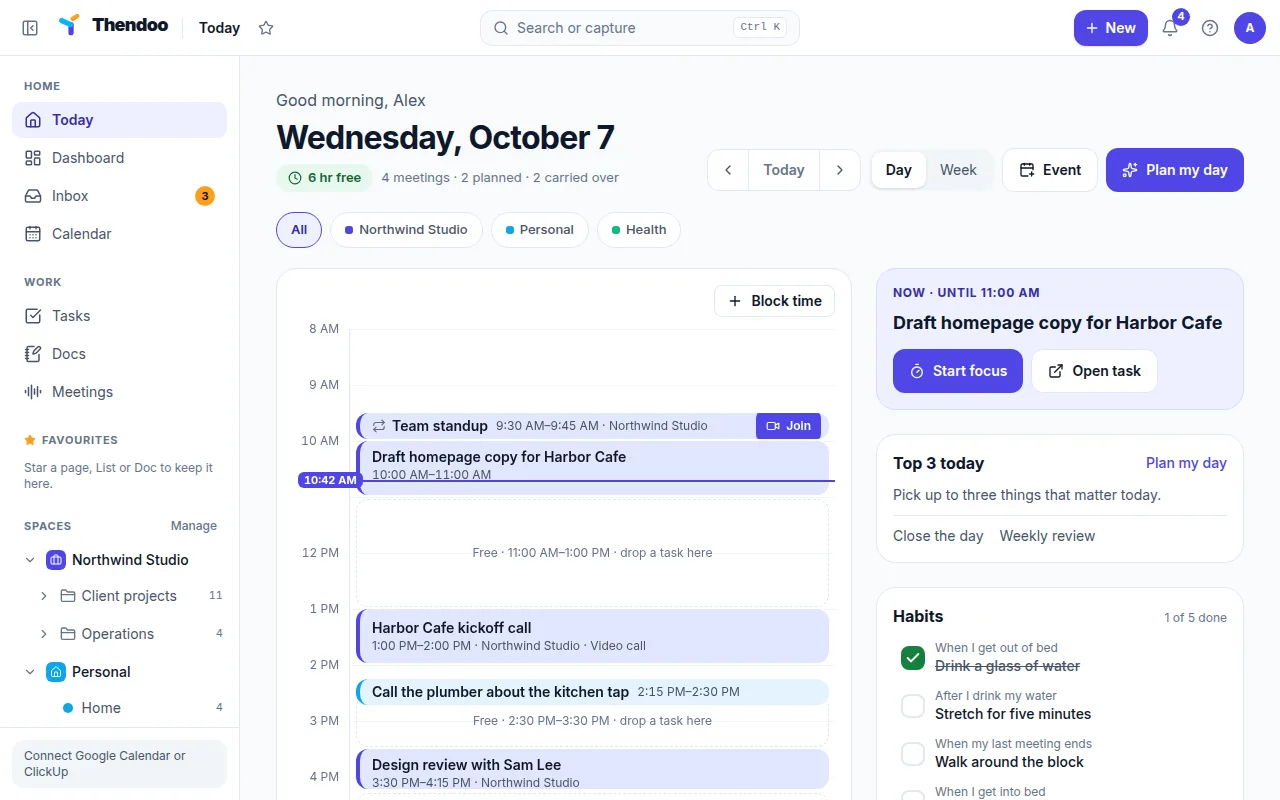
Drag a task into a free slot
Unscheduled tasks wait in the To schedule tray. Drag one onto a free slot to block time for it, or use Block time to make a focus block in two taps.
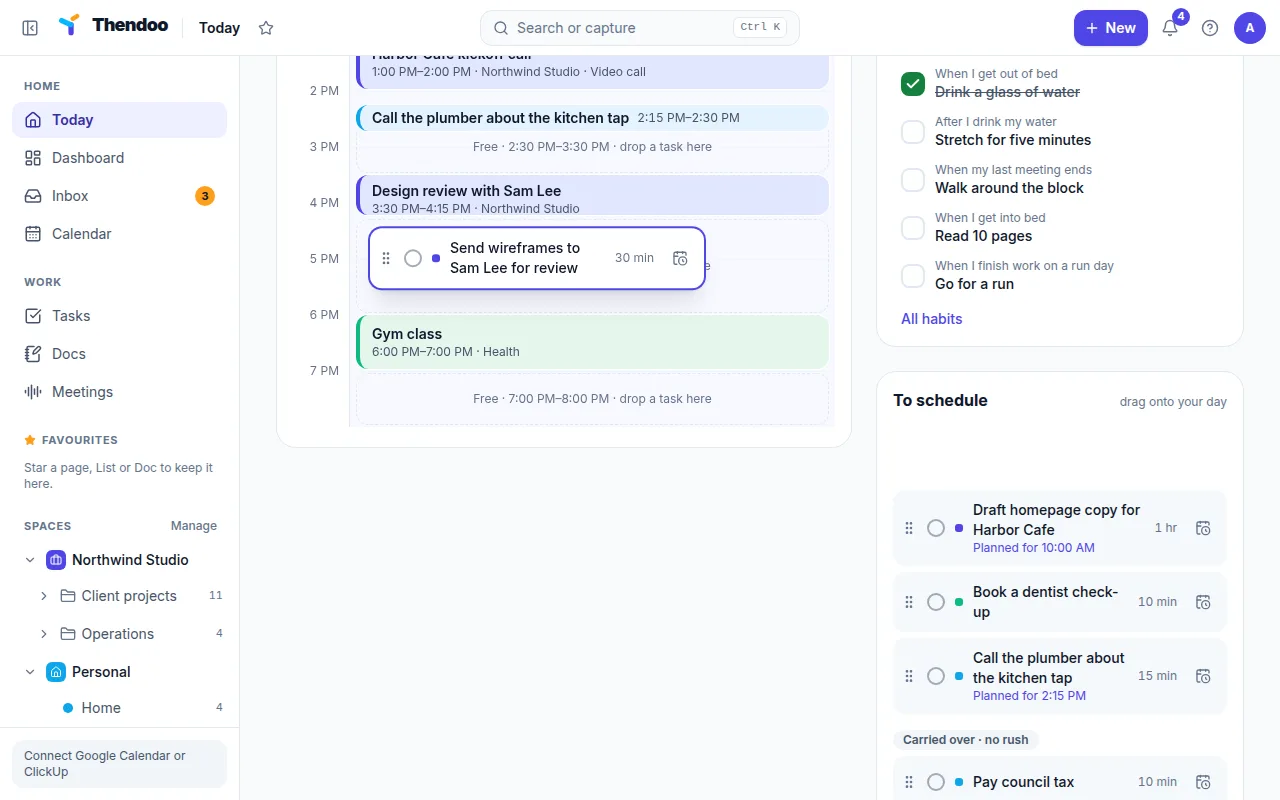
Top 3, Up next and Carried over
A Top 3 card keeps the day's three most important things in view with Start focus. Up next says what's coming and links to join a call. Anything from earlier days waits as Carried over · no rush, never as a red overdue list.
One company or all of them
Switch between day and week, and filter by Space to see one company, several, or your whole life at once. Today's habits and bills due appear as cards beside the timeline.
Why a timeline instead of a list
A to-do list says what you want to do, but not when. A calendar shows when you’re busy, but not what you’ll do with the gaps. Today puts both on one screen, so the question changes from “what’s on my list?” to “what fits in the next hour?”
That makes time visible. You see that the afternoon has one free hour, not “the afternoon”, and you can plan work that actually fits.
How work from other tools lands here
Tasks from ClickUp, meetings from several Google accounts and your own tasks, habits and bills all feed Today. Each keeps its source: ClickUp owns its tasks and Google owns its events, while Thendoo helps you decide when to do the work. Everything is coloured by Space, so you can tell at a glance which job or part of life each item belongs to.
Questions
Does Today show my Google Calendar meetings?
Yes. Connect one or more Google accounts and choose which calendars appear. Meetings take the colour of the Space you map them to.
What happens to tasks I don't finish?
They move into Carried over, a calm group on Today. Nothing turns red and nothing is lost; you pick a new time when you're ready.
Can I see the whole week?
Yes. Switch between day and week. With ADHD mode on, the week view is hidden to keep things simple.
Give your brain one place to look.
Set up your first Today in about five minutes. Connect a calendar, add three things, start a focus session.