Recordings
Notes and next steps from every conversation
Record a meeting, a class or a thought out loud, or upload a file. Thendoo writes a transcript and summary, lists decisions and open questions, and suggests tasks for you to approve.
See a day in Thendoo
A short, clickable walk-through with sample data. Nothing here is saved.
- Renew passport next month
- Call the landlord about the boiler
- Draft the quarterly report
- Book the dentist
- After I pour my coffee → Take my vitamins
- When I sit at my desk → Write today’s top 3
- When my last meeting ends → Close the day
- 09:00Focus: quarterly report
- 11:00Team check-in
- 14:00Focus: client proposal
- Electricity · Due Thursday$84.50
- Phone plan · Due Saturday$25.00
Capture a thought in seconds. It lands in your Inbox, ready to sort later.
Step 1 of 4
What you can do
Record or upload
Record with your laptop or phone microphone. Audio is saved in encrypted pieces while you talk, so a closed tab doesn't lose it, and you can pause and resume. Or upload audio or video up to 500 MB.
The right notes for the right kind
Choose a meeting in the room, a class or lecture, or a voice note to yourself. Each kind gets its own summary style: decisions and action items for meetings, key terms and topics for classes, and ideas and worries for voice notes.
Suggested tasks you approve
Thendoo suggests tasks from what was said. Edit titles and dates, then create them in one go. Nothing is added without your OK, and AI text is labelled so you know to check it.
Consent first, and your choice of AI
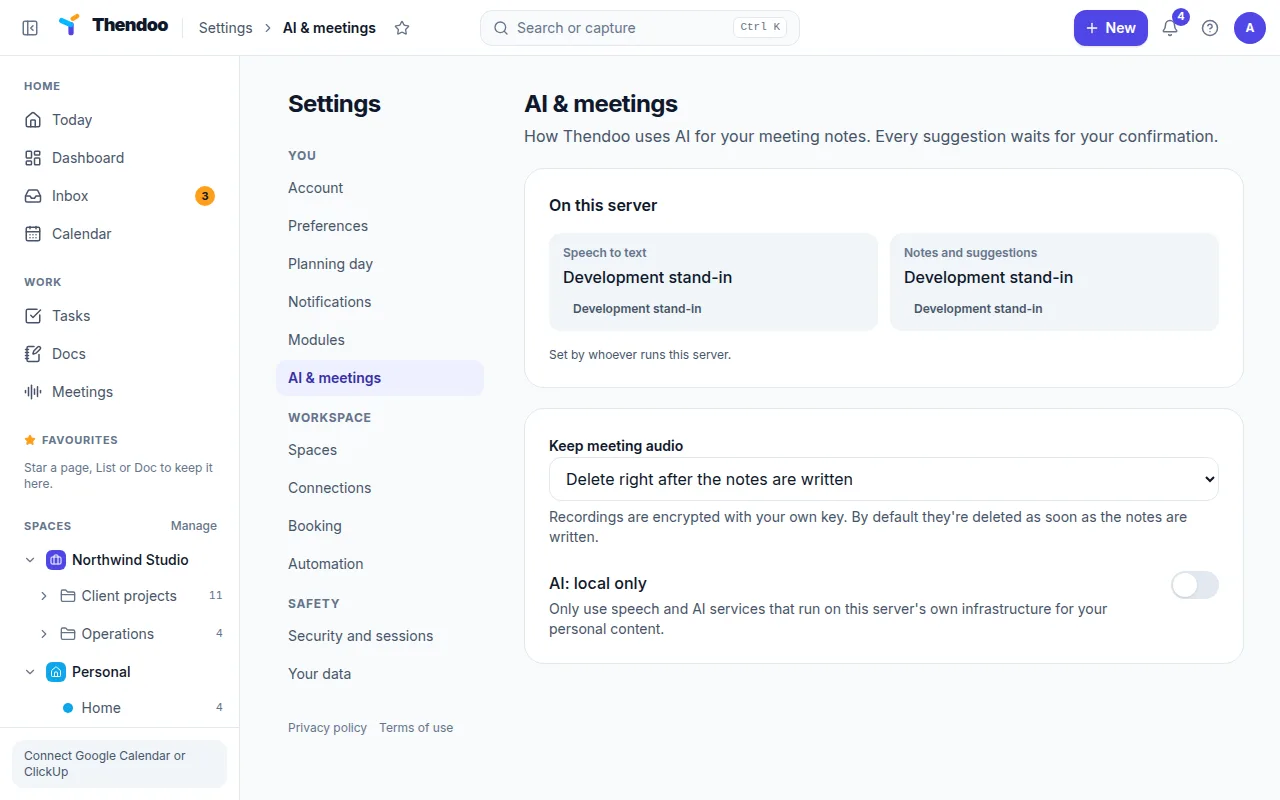
Recording never starts until you confirm that everyone knows it's being recorded. Choose how long audio is kept, and on thendoo.com connect the AI provider of your choice with your own key.
For meetings
After a meeting, the notes land in a Doc linked to the calendar event and the people who were there, with the transcript as a sub-page. Decisions and open questions are listed at the top, and suggested tasks are ready to approve, so follow-ups don’t get lost between calls.
For classes and lectures
Students can record a class, then search the transcript, jump to the moment a term was explained, and keep notes organised in folders with tags. The class summary highlights key terms and topics, ready for revision.
For voice notes
“Talk it out”: record a walk-and-think or a brain dump, and get the ideas, worries and next steps back in writing, sent to your Inbox or a Doc.
Coming next
Recording audio from online calls in a browser tab, connecting recorder devices, and asking questions across all your recordings are on the roadmap.
Questions
Can I record online calls like Zoom or Google Meet?
Today you can record in the room with your microphone or upload a recording. Recording a call's audio from a browser tab is planned, and meeting bots are planned after that.
Which AI does Thendoo use?
On thendoo.com you'll connect the AI and speech-to-text provider you choose, with your own key. Your recordings are processed under your own account.
Are recordings private?
Yes. Audio is encrypted, you choose how long it's kept, and nobody at Thendoo listens to it. Notes and transcripts are yours to export or delete.
Give your brain one place to look.
Set up your first Today in about five minutes. Connect a calendar, add three things, start a focus session.