Docs and Sheets
Notes, wikis and sheets next to the work
Docs live in your Spaces, folders and Lists, next to the tasks they're about. Write with a / menu, mention tasks and people, embed live task lists, and add Sheets with formulas.
See a day in Thendoo
A short, clickable walk-through with sample data. Nothing here is saved.
- Renew passport next month
- Call the landlord about the boiler
- Draft the quarterly report
- Book the dentist
- After I pour my coffee → Take my vitamins
- When I sit at my desk → Write today’s top 3
- When my last meeting ends → Close the day
- 09:00Focus: quarterly report
- 11:00Team check-in
- 14:00Focus: client proposal
- Electricity · Due Thursday$84.50
- Phone plan · Due Saturday$25.00
Capture a thought in seconds. It lands in your Inbox, ready to sort later.
Step 1 of 4
What you can do
A full editor with a / menu
Headings, checklists, callouts, toggles, columns, tables, code with colours, a table of contents, link cards, pictures and videos. Type / to add anything.
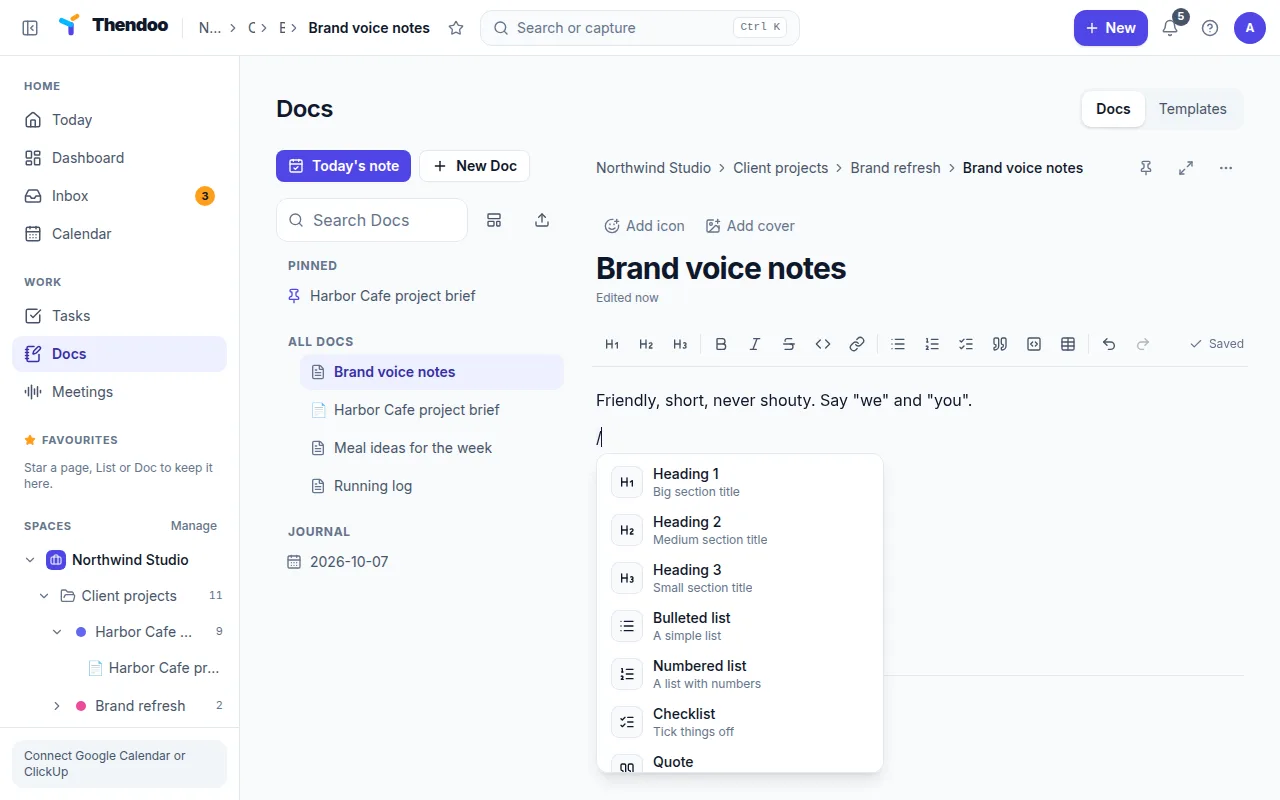
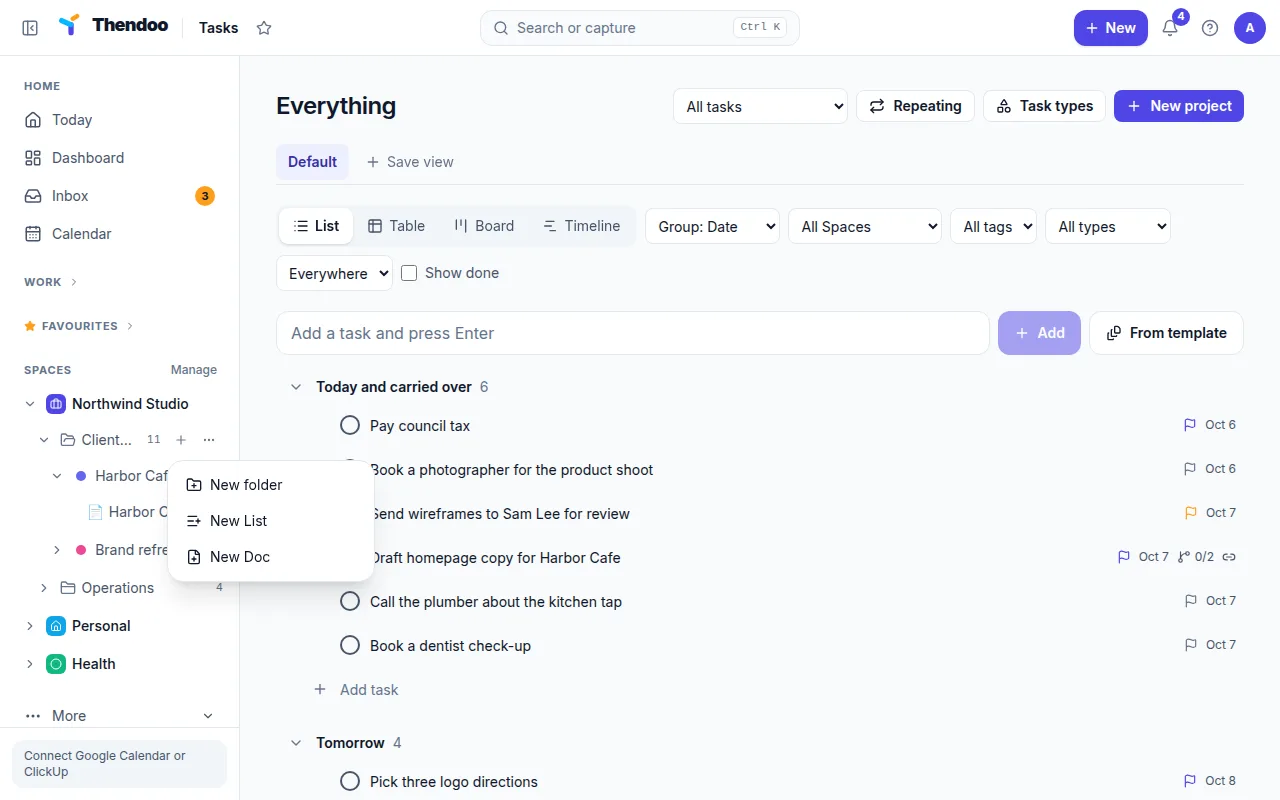
Docs in the same tree as your work
Put a Doc in any Space, folder or List, with sub-pages, an icon and a cover. Breadcrumbs show where you are.
Mentions, backlinks and live task lists
Mention a Doc, task or person with @, and see which Docs link here. Embed a List's tasks in a Doc, so a project brief shows the live state of the work.
Sheets with formulas
Spreadsheet pages with typed columns, formulas (sum, count, countif, sumif, average and ranges), CSV and Excel import and export. Embed a Sheet in a Doc, or turn rows into tasks.
Why Docs belong next to tasks
Meeting notes, project briefs and checklists are only useful if you can find them when you’re doing the work. In Thendoo a Doc sits in the same List as its tasks, links to the people involved and can show the live task list, so notes and work stay together instead of drifting into a separate app.
Sheets for the numbers
Budgets, trackers and simple lists of numbers fit in a Sheet: typed columns, formulas and sorting, without leaving your planner. Embed a Sheet in a Doc to keep the numbers next to the plan, or turn a row into a task when it needs action.
Who it’s for
Professionals keep meeting notes and project briefs next to the tasks they create. Students keep class notes, reading lists and a thesis plan in one Space per course. Anyone moving from Notion or Obsidian can import their pages and keep working where their tasks are.
Questions
Can I import from Notion or Obsidian?
Yes. Import a Notion Markdown & CSV export or an Obsidian vault zip; pages become Docs with their links kept.
Is there a daily note?
Yes. A daily note and journal are built in, with templates for meeting notes, project briefs, SOPs and weekly plans.
Can several people edit a Doc together?
Not yet. Thendoo is a personal planner today; real-time co-editing is planned.
Give your brain one place to look.
Set up your first Today in about five minutes. Connect a calendar, add three things, start a focus session.