Capture and Inbox
From thought to saved in a few seconds
Press ⌘K or Ctrl K anywhere, type in plain words, press Enter. Thendoo understands dates, times, Spaces, priority and estimates, and anything unsorted waits calmly in the Inbox.
See a day in Thendoo
A short, clickable walk-through with sample data. Nothing here is saved.
- Renew passport next month
- Call the landlord about the boiler
- Draft the quarterly report
- Book the dentist
- After I pour my coffee → Take my vitamins
- When I sit at my desk → Write today’s top 3
- When my last meeting ends → Close the day
- 09:00Focus: quarterly report
- 11:00Team check-in
- 14:00Focus: client proposal
- Electricity · Due Thursday$84.50
- Phone plan · Due Saturday$25.00
Capture a thought in seconds. It lands in your Inbox, ready to sort later.
Step 1 of 4
What you can do
Plain words, understood
Type "call Sami tomorrow 10am #Work !2 ~30m" and Thendoo turns it into a task in your Work Space, tomorrow at 10:00, priority 2, with a 30-minute estimate. Chips show what it understood before you press Enter.
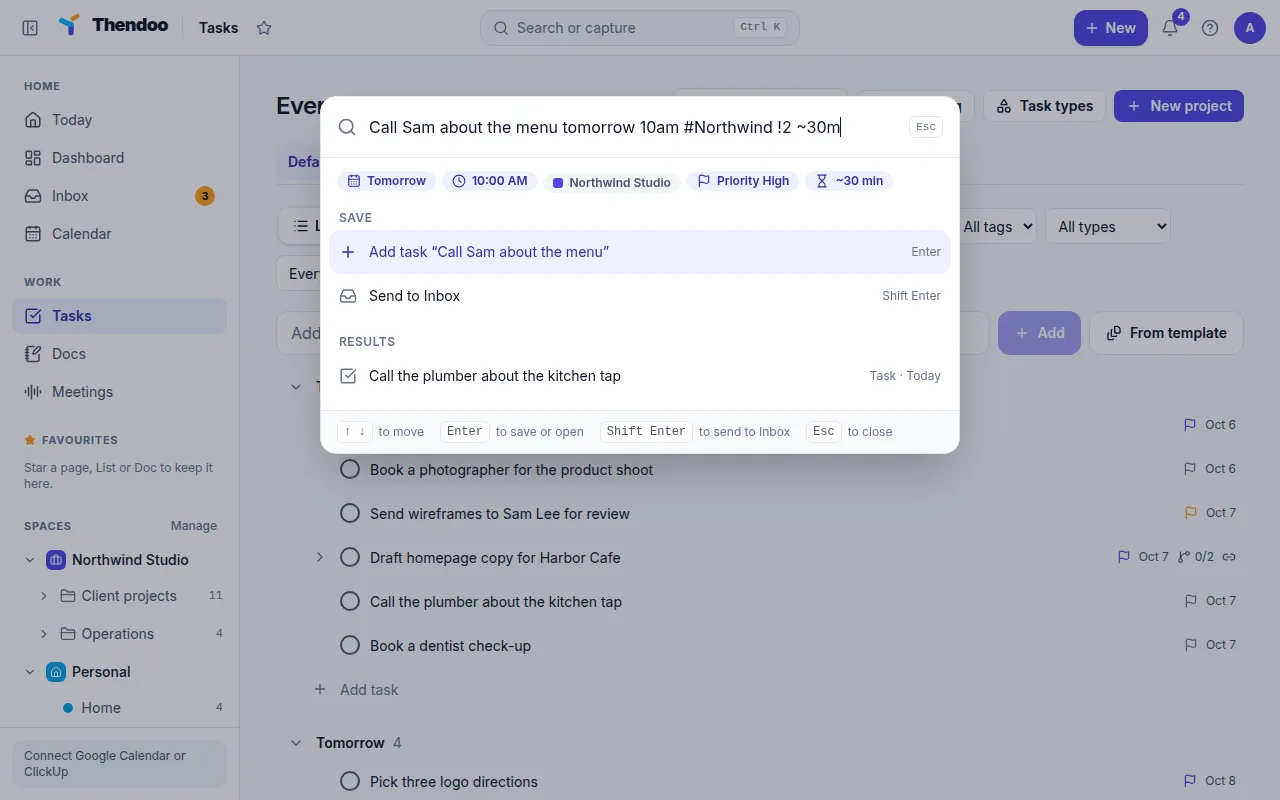
Send to the Inbox when you're not sure
Press Shift Enter to keep a raw thought for later. The Inbox holds everything you haven't decided about yet, with a calm count in the sidebar.
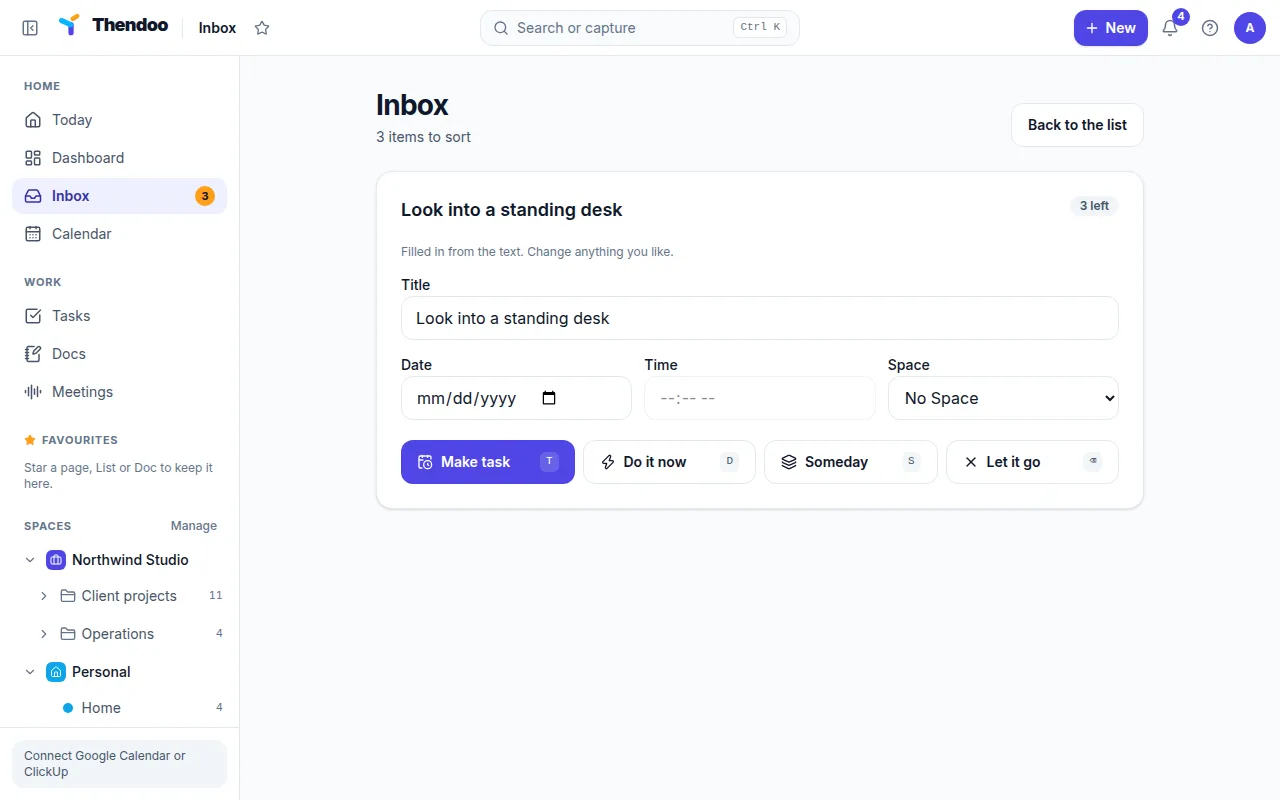
Sort one at a time, one key each
Open the Inbox and take items one at a time: T makes a task with the date and Space filled in from the text, D means do it now, S saves it for Someday, and ⌫ lets it go.
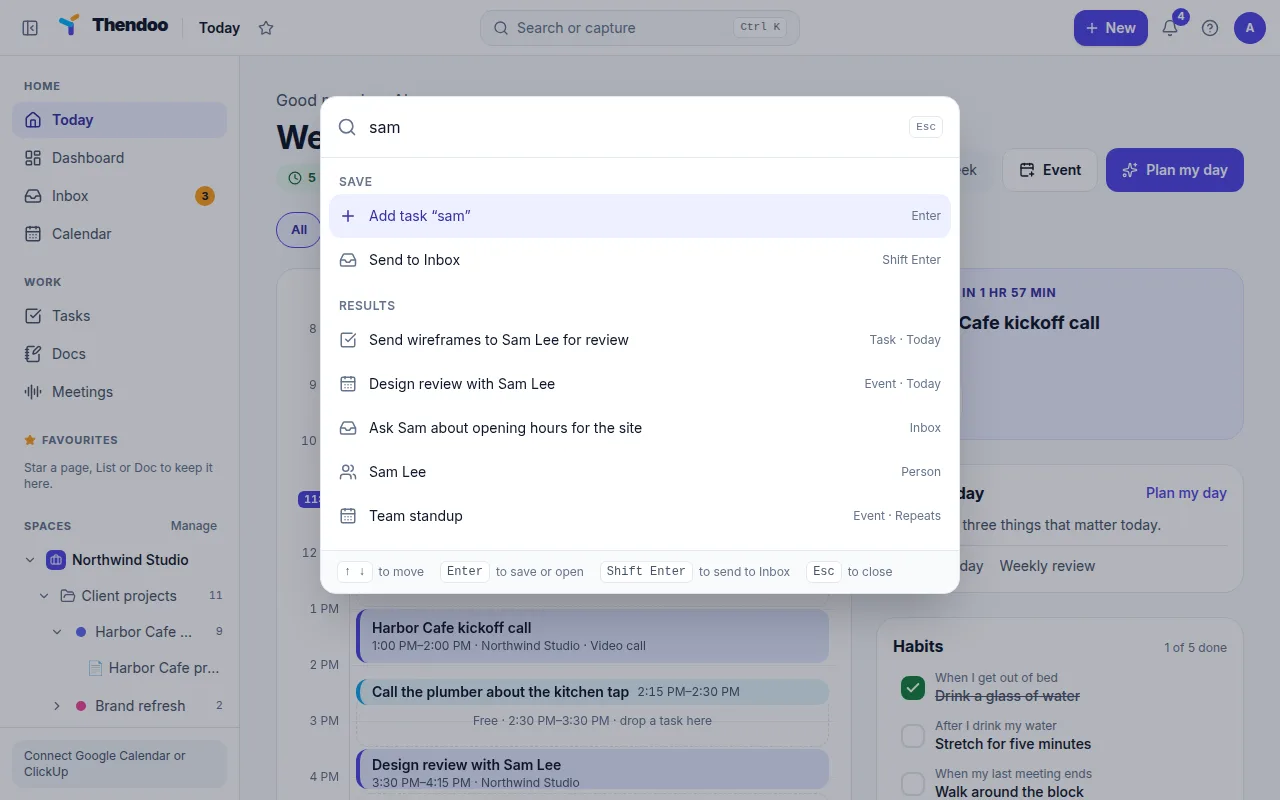
Find anything just as fast
The same palette searches tasks, events, Spaces, people, links and life-admin items, and jumps to any page. Keyboard shortcuts work throughout the app.
Why fast capture matters
Ideas, requests and reminders arrive at the worst moments: in a meeting, halfway through a task, on the way out the door. If saving one takes more than a few seconds, it either doesn’t get saved or it pulls you out of what you were doing.
Thendoo’s rule is that capture takes under five seconds and organising happens later. You don’t have to choose a project, a priority or a date while your head is somewhere else.
Sorting without overwhelm
A long inbox is tiring to look at, so Thendoo shows it one item at a time. Each item needs one decision and one key. Many people sort once a day, for example during their morning plan, and the Inbox count never turns red, however many items are waiting.
Who it’s for
- Busy professionals who get requests in every meeting and need to save them without breaking the conversation.
- Students who think of assignments and reminders between classes.
- Anyone juggling several jobs, who can tag a thought with #Work or #Client and sort it later.
Questions
Does capture work on my phone?
Yes, in the browser: the phone layout has a capture button. Voice capture, widgets and the share sheet come with the native apps.
Can I capture without choosing a Space or date?
Yes. Just type and press Shift Enter. It waits in the Inbox until you sort it.
Does capture work offline?
In the web app, captured items wait in a queue while you're offline and sync when you're back, without duplicates.
Give your brain one place to look.
Set up your first Today in about five minutes. Connect a calendar, add three things, start a focus session.