Booking links
Let people book you without the back-and-forth
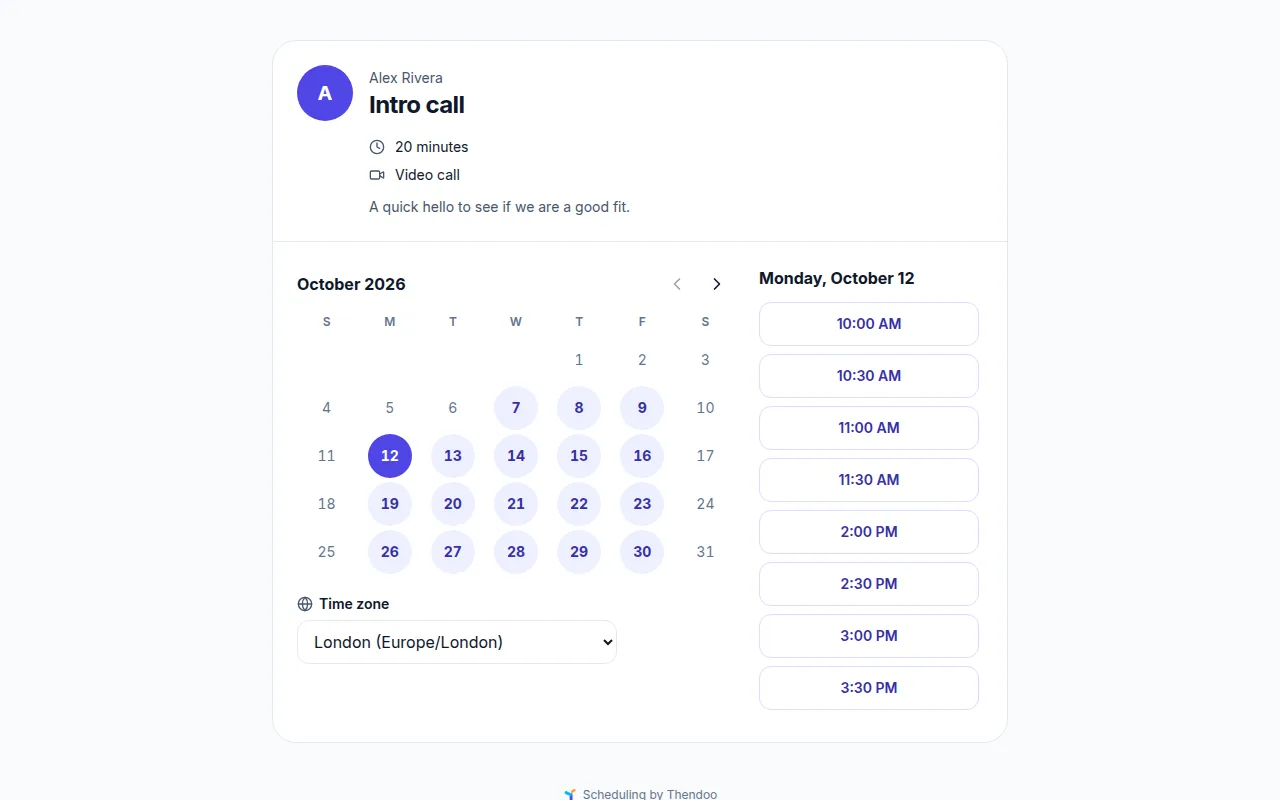
Share one link. Visitors see only when you're free, from all your calendars and travel time, and pick a slot in their own time zone. No account needed.
See a day in Thendoo
A short, clickable walk-through with sample data. Nothing here is saved.
- Renew passport next month
- Call the landlord about the boiler
- Draft the quarterly report
- Book the dentist
- After I pour my coffee → Take my vitamins
- When I sit at my desk → Write today’s top 3
- When my last meeting ends → Close the day
- 09:00Focus: quarterly report
- 11:00Team check-in
- 14:00Focus: client proposal
- Electricity · Due Thursday$84.50
- Phone plan · Due Saturday$25.00
Capture a thought in seconds. It lands in your Inbox, ready to sort later.
Step 1 of 4
What you can do
A booking page in your time zone and theirs
Guests see your free times in their own time zone and book in a few taps, on any device. They never see what's in your calendar, only when you're free.
Meeting types with real rules
Create types such as "30-minute intro" or "1-hour client call", each with length, location, buffers before and after, minimum notice, how far ahead people can book, a daily limit, travel buffers and questions for the guest.
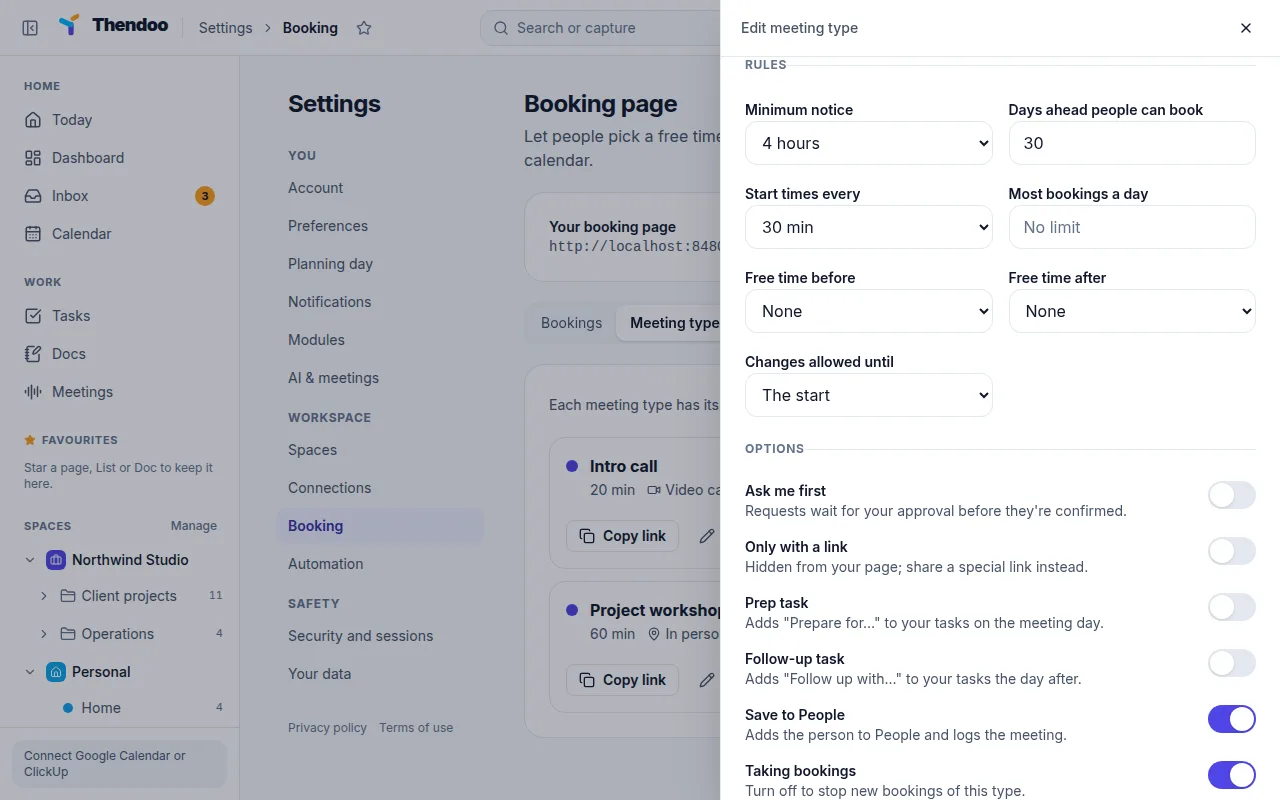
Approvals, secret and single-use links
Require approval before a booking is confirmed, hide a type behind a secret link, or share a single-use or date-window link. An embed code puts the booking page on your own site.
Confirmations, reminders and follow-ups
Both of you get a confirmation email with a calendar invite, and reminders before the meeting. Guests can reschedule or cancel from the email, and prep and follow-up tasks can be created automatically.
Why booking links belong in your planner
Scheduling by email takes several messages and often ends in a double booking. A booking link replaces that with one message: “pick a time here”. Because the link lives inside the same app as your calendars and tasks, it knows when you’re really free, including the time it takes to travel to the meeting before it.
Good for client work
Freelancers and business owners can offer an intro call, a paid-client check-in and a longer workshop as separate types, each with its own rules. Bookers can be saved to People, so you remember who they are and when to follow up.
Who it’s for
- Consultants and freelancers who run intro calls and client check-ins.
- Managers who hold office hours or one-to-ones.
- Teachers, tutors and coaches who let students or clients book sessions.
Each booking lands on your Today timeline next to the rest of your day, with travel time if it’s in person.
Questions
Does it check all my calendars?
Yes. Free time is worked out from every connected calendar, Thendoo's own calendars and travel time, so a booking never lands on a meeting or a trip.
Do guests need an account?
No. They pick a time, fill in any questions you set, and get a confirmation email.
Can I take payments for bookings?
Not yet. Paid meeting types, team booking and QR codes are planned.
Give your brain one place to look.
Set up your first Today in about five minutes. Connect a calendar, add three things, start a focus session.